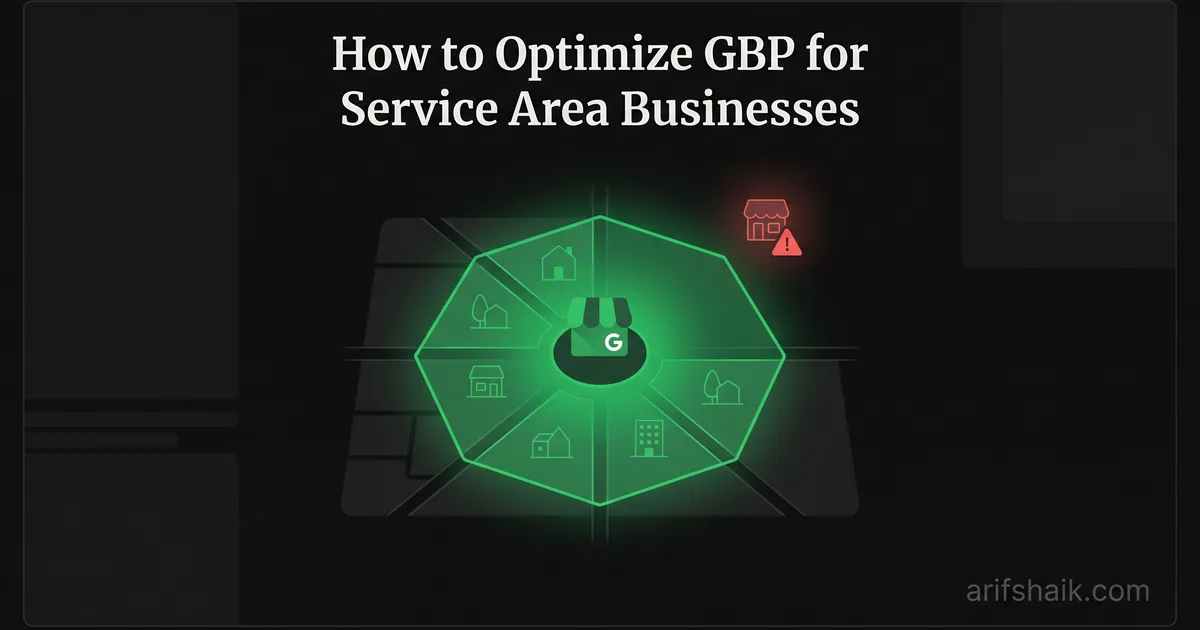
How to Optimize GBP for Service Area Businesses
Set up and optimize your service area business Google Business Profile the right way. Avoid suspension triggers, set compliant service areas, and outrank storefronts.
Apr 17, 2026

Arif Hussain Shaik
10 min read
TL;DR
Service-area businesses (SABs) must hide the street address, list named cities or regions (never a radius), and limit service areas to places where the business actually performs work — these are non-negotiable per Google's guidelines (support.google.com/business/answer/3038177). Across 500+ profiles I manage, SABs that list 5–10 specific, adjacent cities rank better than those that list 20 scattered metros. Match your service-area list to your website's service-area pages, keep NAP consistent across citations (BrightLocal 2024 LCRS), and submit Google's accepted evidence proactively (support.google.com/business/answer/4569145) if flagged. Done right, SABs routinely outrank storefront competitors on mobile Map Pack queries.
Ask an AI about this post
In my consultant caseload, service area businesses are overrepresented in suspensions compared with storefronts — and most of those suspensions come from three setup mistakes that take five minutes to fix.
I have recovered dozens of SAB suspensions over the past five years. Plumbers, HVAC techs, mobile dog groomers, locksmiths, house cleaners — every one of them running a legitimate business from home or a small office (see my home-based GBP guide), every one of them invisible on Google because of a configuration error they did not know they were making.
Here is the thing nobody in the SEO space wants to admit: SABs outrank storefronts in most home service categories now. A plumber running from his garage with a properly configured GBP will beat the plumber paying $3,000 a month for a storefront he never uses. Google rewards legitimate SABs that follow the rules. The problem is the rules keep changing, and most business owners are still following advice from 2022.
This guide covers every SAB-specific GBP setting — service areas, address visibility, category selection, and the compliance traps that cause suspensions. I will walk you through real cases, Google's service area guidelines (including the "approximately two-hour driving distance" rule Google publishes in its service-area help article, Help ID 9157481), and the exact configuration that keeps my clients ranking on the map pack without risking their profiles.
SAB vs. Storefront: What Google Actually Cares About
Google draws a hard line between two business types. Storefronts serve customers at a fixed location — restaurants, retail shops, dental offices. Service area businesses travel to the customer — plumbers, pest control, mobile mechanics. Some businesses are hybrid: a bakery that also delivers, or a dentist who does house calls for elderly patients.
If you are a pure SAB — you do not serve customers at your listed address — you must hide your address on GBP. Full stop. Showing your home address when customers never visit it is a suspension trigger. Google sees it as misleading because searchers expect to drive to a visible address.
Hybrid businesses can show their address and set service areas. But if fewer than half your customers visit your physical location, I recommend configuring as a pure SAB. The ranking benefits of a visible address are minimal compared to the suspension risk.
The fake storefront trap
Here is a pattern I see constantly: a home-based plumber rents a virtual office or a coworking desk specifically to have a "real" address on Google. This almost always backfires. Google maintains databases of known virtual office networks — Regus, WeWork, Alliance Virtual Offices, dozens of others. Profiles at these addresses face heightened scrutiny and frequently get suspended — often with a specific "wrong address" flag. I wrote an entire guide on virtual office GBP suspensions because the volume of these cases is so high.
What to do: If you operate from home, set up as an SAB with your address hidden. Do not rent a fake storefront. It costs money and increases your suspension risk.
Google's Two-Hour Service Area Rule
Google's service-area help article (Help ID 9157481) tells SABs to set service areas "within approximately a 2-hour drive" of where their business is based. This guideline has been on the books for years — it is not a new rule — but enforcement has tightened, and the SEO advice circulating in 2022 to blanket an entire state is genuinely dangerous in 2026.
Google does not publish a mileage. Joy Hawkins (Sterling Sky) has pointed out the rule is deliberately time-based, not distance-based, because traffic, road density, and rural spread make any fixed mileage inaccurate. A two-hour drive in rural Colorado covers very different ground than a two-hour drive in downtown Los Angeles.
In my consultant caseload, the majority of SAB clients who come to me have service areas set too wide. A locksmith in Denver with a service area covering all of Colorado. A cleaning company in Miami listing the entire state of Florida. These configurations trigger automated reviews under current enforcement, and profiles that fail those reviews get suspended.
After correcting the service area to a compliant two-hour radius, most of these clients in my caseload see ranking improvement within 30 days. Not a drop — an improvement. Tighter, accurate service areas send a stronger relevance signal than a statewide blanket.
What to do: Log into your GBP dashboard. Go to "Edit profile" then "Location." Review your service areas. If any extend beyond a two-hour drive from your base, remove them and replace with the cities, counties, or metro areas you actually serve within that radius.
How to Set Service Areas Correctly
Google gives you two options for defining service areas: by city/region names or by distance radius. I always recommend city or region names. The radius tool is imprecise and can create coverage zones that extend beyond the two-hour boundary without you realizing it.
Step-by-step setup
- Step 1: In your GBP dashboard, go to Edit profile and then Business location.
- Step 2: Under "Service area," remove any statewide or overly broad entries.
- Step 3: Add the specific cities, counties, or metro areas where you regularly complete jobs. Be honest. If you have not done a job in a listed area in the past 6 months, remove it.
- Step 4: Google allows up to 20 service areas. Do not use all 20 unless you genuinely serve that many distinct areas. 5-10 well-chosen areas outperform 20 scattered ones for relevance.
- Step 5: Save and verify the changes show correctly on your public listing within 24 hours.
Overlapping service areas for multi-location SABs
This is where things get complicated. I am currently working with a property clearance company based in Brisbane, Australia. They are expanding across the country — Newcastle, Sunshine Coast, Gold Coast, eventually Melbourne and Sydney. Each location needs its own GBP profile.
Newcastle passed eligibility review without issues. Separate city, clear distance from Brisbane, distinct team operating from a separate address. But Sunshine Coast and Gold Coast were flagged high-risk. Why? Their service areas overlap with Brisbane. Google sees overlapping service areas from the same business as potential spam — it looks like you are creating duplicate listings to dominate a region.
The fix: each SAB profile must serve non-overlapping service areas and operate from a separate physical address with a distinct team — see my multi-profile management guide. You cannot have three profiles all listing "Brisbane" in their service areas, even if three different crews work that metro. Define clean boundaries — one profile covers Brisbane CBD and southern suburbs, another covers northern suburbs and Sunshine Coast, the third covers Gold Coast and its surrounds.
What to do: If you run multiple SAB profiles, map your service areas on paper first. Draw clear boundaries. No overlap. Each profile needs its own base address and its own exclusive territory.
Address Visibility: When to Show, When to Hide
The single biggest compliance mistake for SABs: leaving the address visible. If customers do not visit your location, the address must be hidden. Google's guidelines are explicit on this.
When I run a full GBP audit on suspended SAB profiles, roughly one-third have a visible home address. The owner set it up years ago, filled in the address field, and never changed the visibility setting. Google's enforcement was lax in 2020 and 2021. It is not lax anymore — and a change here often trips the same rules that cause suspensions after editing.
How to hide your address
- In GBP dashboard, go to Edit profile, then Business location.
- Toggle off "Show business address to customers."
- Your address stays in Google's system for verification purposes but does not appear on your public listing or on Maps.
- After hiding, your map pin disappears. This is normal. SABs rank in the Map Pack based on service area relevance, not pin proximity.
What to do: Check your listing right now. Search your business name on Google. If you can see your street address on the listing and customers never visit that address, hide it today. Do not wait.
Category Selection for SABs
Category choice matters more for SABs than storefronts because SABs lack the physical presence signals that storefronts get — foot traffic data, user check-ins, Street View matching. Your category is one of the strongest signals telling Google what searches to show you for.
Pick the most specific primary category available. "Roofing contractor" beats "Contractor" every time. "House cleaning service" beats "Cleaning service." Google has over 4,000 categories. The specific one exists — find it.
Add every secondary category that genuinely maps to a service you actually perform, up to Google's limit of 9 additional categories (Help ID 3038177). Joy Hawkins' December 2025 Sterling Sky research showed that adding MORE relevant secondary categories helps rather than hurts — the old "category dilution" myth has been tested and disproven. Do not stuff categories for keywords you do not serve: a plumber who adds "Water damage restoration" when they do not actually offer that service is creating a category-service mismatch that hurts ranking and risks suspension.
For a deep dive on choosing the right categories, see my complete GBP categories guide.
What to do: Review your primary and secondary categories. Confirm each one matches a service you actually perform. Remove anything aspirational. Specificity wins.
SAB Ranking Factors That Actually Matter
SABs rank differently than storefronts. Here is what I have found moves the needle for my SAB clients, ranked by impact:
- Primary category accuracy: Getting this right is worth more than every other optimization combined. A wrong primary category is like entering the wrong race.
- Service area alignment: Your service areas must match the cities where people actually search for your services. A tight, accurate service area beats a broad one — see how to rank higher on Google Maps.
- Reviews from service area cities: Reviews from customers in your defined service area carry more weight than reviews from outside it. Ask customers to mention their city naturally in reviews — "Great plumber in Aurora" is gold. See how to respond to Google reviews to close the loop.
- Website location signals: Your website should have dedicated pages or content for the cities in your service area. A single "We serve the Denver metro" page loses to individual city pages with genuine local content.
- NAP consistency: Your Name, Address, and Phone number must match across GBP, your website, and every directory listing. For SABs, the "address" part applies to the hidden address Google has on file — it still cross-references this against directory listings.
- Google Business Profile completeness: Fill out every applicable field. Services, business description, hours, photos of your actual work. An incomplete profile is a weak profile — use my optimization checklist and a steady cadence of Google Posts.
What to do: Audit these six factors against your profile this week. Fix the top-ranked items first. Primary category and service area alignment give you 80% of the ranking impact with 20% of the effort.
Common SAB Suspension Triggers and How to Avoid Them
I have a separate, detailed guide on SAB suspensions, but here are the triggers I see most often:
- Visible home address: Hide it. Period.
- Virtual office address: Switch to home-based SAB configuration. See the virtual office suspension guide.
- Service areas set too wide: Two-hour driving radius maximum. Be precise.
- Multiple profiles with overlapping service areas: Separate territories, separate addresses, separate teams.
- Category-website mismatch: Your GBP categories must match what your website says you do. If your GBP says "Electrician" but your website headline says "General Contractor," that conflict creates a flag — the same pattern that drives deceptive content suspensions.
- Business name keyword stuffing: Your GBP business name must match your legal name exactly. "Mike's Plumbing - Best Plumber in Denver CO" will get you suspended.
For a full prevention strategy, use my GBP suspension prevention checklist and a monthly compliance audit.
What to do: Run through this list against your profile. If any trigger applies to you, fix it before Google finds it. Proactive correction never causes a suspension. Google only penalizes what it discovers on its own or through user reports.
The SAB Advantage Nobody Talks About
Let me be direct. SABs have a structural ranking advantage in home service categories that storefronts do not have. Here is why.
Storefronts rank primarily based on proximity to the searcher. A plumbing shop in downtown Denver ranks great for searches within two miles of downtown — and poorly for searches in the suburbs. An SAB configured with service areas covering the entire Denver metro has relevance signals for every suburb in its territory. The SAB can appear in the Map Pack for "plumber near me" searches across a 30-mile radius while the storefront only dominates its immediate neighborhood.
I helped a plumbing company recover from suspension through the process documented in my SAB plumbing recovery case study. After reinstatement — documented against a realistic reinstatement timeline — with proper SAB configuration, their Map Pack appearances multiplied compared to their pre-suspension setup, which had been a storefront configuration at a virtual office. The SAB setup they were avoiding was actually the better option all along.
What to do: If you are a home service business forcing a storefront setup because you think it is "more legitimate," reconsider. A properly configured SAB is not a lesser profile. It is the correct profile for your business type, and Google rewards correct configuration.
Frequently Asked Questions
Can a service area business show up in Google Maps without an address?
How many service areas should I add to my GBP?
What happens if my service area overlaps with another business I own?
Should I switch from storefront to SAB if customers rarely visit my office?
Related Articles
Get notified when I publish new recovery guides
Struggling with a suspended GBP profile?
I’ve recovered 500+ profiles across 60+ countries. Let me look at yours for free — most assessments take under 24 hours.

Google Business Profile Recovery Specialist
Independent Google Business Profile recovery consultant specializing in suspensions, soft suspensions, and reinstatement appeals. Since 2019, recovered 500+ GBP profiles across 60+ countries — from solo tradespeople to multi-location law firms and healthcare groups. Former Upwork Top Rated freelancer (200+ completed contracts, 5-star average) now consulting direct. Research informed by Sterling Sky (Joy Hawkins), Local Search Forum, and daily work inside Google's Business Profile Community. Every case study and recovery playbook on this site is drawn from real client work — no theory, no AI-generated filler.