Google Business Profile Audit: My 5-Step Process
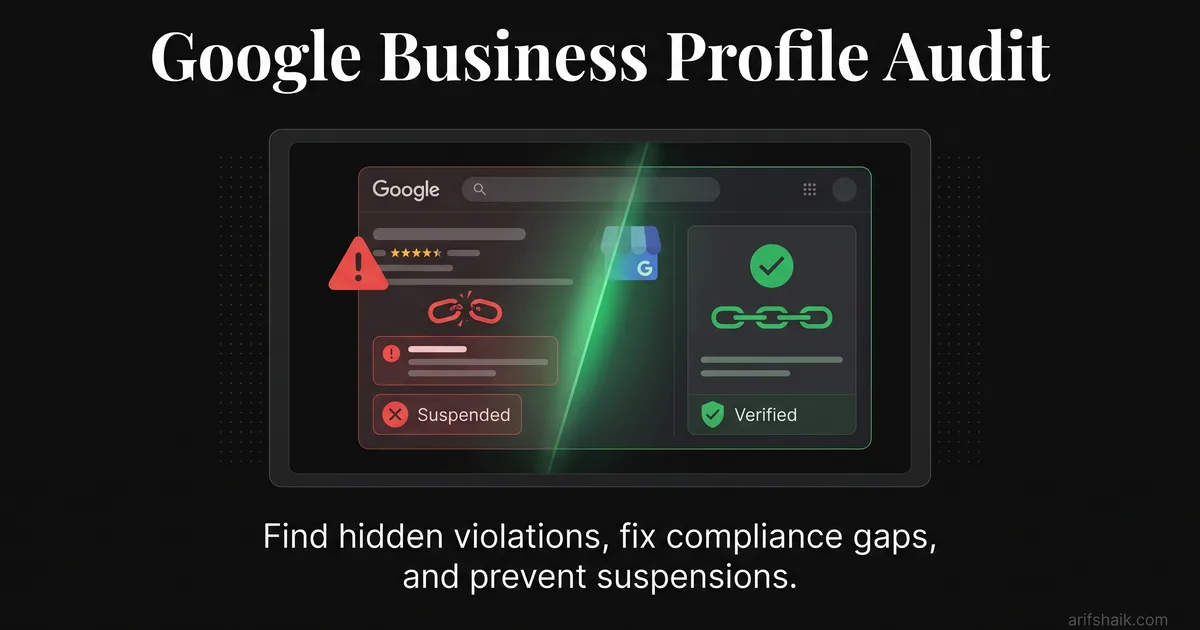
Run a full Google Business Profile audit in 5 steps. Find hidden violations, fix compliance gaps, and prevent suspensions before they happen.
Apr 17, 2026

Arif Hussain Shaik
10 min read
TL;DR
Every one of the 500+ profiles I manage gets the same 5-step audit: (1) name and category check against Google's guidelines (support.google.com/business/answer/3038177), (2) address and service-area alignment with website footer and state registration, (3) review pattern inspection for velocity anomalies, (4) edit-history review for unauthorized changes, and (5) photo and post hygiene. BrightLocal's 2024 Local Consumer Review Survey and Whitespark's 2026 Local Search Ranking Factors both confirm that consistency across these signals drives both rankings and suspension risk. Audits done quarterly catch silent soft suspensions before they escalate — far cheaper than a reinstatement appeal.
Ask an AI about this post
A typical GBP audit on a legitimate single-location business uncovers 8-15 fixable issues. Every one of those issues is a potential suspension trigger sitting in your profile right now.
I audit Google Business Profiles for a living. Not the "check your hours and add a photo" kind of audit. The kind where I pull apart every field, cross-reference it against Google's current enforcement patterns, and find the violations that will get you suspended next quarter. The process I am about to share is the same one I use for my paid consulting intake — five steps, roughly 45 minutes, and it catches things that no automated tool can find.
The biggest myth in GBP management is that a "completeness score" audit matters. I have seen profiles with 100% completeness scores get suspended because their primary category was wrong. Perfect-score profiles get suspended because the business name had a city tacked on. Completeness and compliance are not the same thing. Completeness means you filled in all the fields. Compliance means you filled them in correctly.
This guide is the compliance audit. Do it once thoroughly, then maintain it monthly using my monthly compliance audit checklist. Pair it with the GBP optimization checklist once the compliance basics are clean.
Why Most Self-Audits Miss the Real Problems
Business owners self-audit from the public view of their listing. They pull up Google Maps, search their business name, look at the listing, and check if the hours are right and the photos look good. That is a customer experience check, not a compliance audit.
The violations that cause suspensions live in the backend. Suspicious category combinations that trigger automated flags. Service areas that extend beyond the two-hour driving radius. A category-website schema mismatch where your GBP says "Electrician" but your website's structured data says "General Contractor." These mismatches are invisible to someone looking at their listing on a phone.
I ran a large audit project for a restoration company network in South Florida — 555 listings across three violation types. Roughly one-third had visible addresses where SAB setup was required. 10-15% were sitting on known virtual office network addresses. And nearly all of them had at least two category or NAP inconsistencies. The owners of these listings thought everything was fine. From the public view, the listings looked normal. Behind the surface, every one of them had suspension-grade violations.
What to do: Commit to auditing from the backend dashboard, not the public listing. If you only check what customers see, you miss what Google sees.
Step 1: Business Identity Verification
Start with the most basic question: does your GBP identity match your legal identity?
- Business name: Open your GBP dashboard. Compare the business name field character-by-character against your official registration documents — articles of incorporation, DBA filing, business license. Any word in your GBP name that is not in your legal name is a keyword stuffing violation. This includes city names, service descriptors, taglines, and phone numbers.
- Address: Does the address match your registration? If you have moved since setting up GBP, is the profile updated? If you are an SAB, is the address hidden? See the wrong-address suspension guide.
- Phone number: Call the number listed on your GBP. Does it ring? Does it go to your business? Disconnected or redirected numbers are legitimacy red flags.
- Website URL: Click it. Does it load your current website? Does the domain match what is in your GBP? Redirects, parked domains, or URLs pointing to a different business are violation triggers.
For the full list of documents Google accepts during appeals, see Documents Needed for GBP Reinstatement Appeal.
What to do: Fix any identity mismatch immediately. Name mismatches alone account for roughly 1 in 3 of the suspensions I handle. This step catches the highest-risk issues.
Step 2: Category and Service Alignment
Categories are where I find the second-highest density of violations. The mistakes fall into three buckets.
Wrong primary category
Your primary category should describe your main business activity — the thing you do most. See the GBP categories guide for how to pick the right one. An auto repair shop I audited had "Auto body shop" as their primary category, but their website listed "car dealer, used cars, auto repair." The category-schema mismatch dropped their rankings and was one edit away from a suspension. We aligned the primary category with their actual main service and matched the structured data on their website. Rankings recovered in three weeks.
Irrelevant secondary categories
Google allows up to 9 additional categories on top of your primary (Help ID 3038177). Joy Hawkins' December 2025 Sterling Sky category research showed that the old "every additional category dilutes your relevance" advice is a myth — what matters is whether each additional category actually maps to a service you provide. If you are a plumber, your primary category is "Plumber." Add "Water heater installation service" and "Drain cleaning service" as secondaries if you genuinely offer those services. But adding "Contractor," "Home improvement store," and "Bathroom remodeler" when you do not actually do bathroom remodels is a category-service mismatch. That is what hurts — not the count, but the accuracy.
Category-website mismatch
Your GBP categories must match the services described on your website. Google cross-references these. If your GBP lists "Emergency plumber" but your website has no mention of emergency services, that inconsistency weakens your profile's trust signal. Worse, if your website's schema markup lists a different business type than your GBP primary category, you are creating a structured data conflict that automated systems flag.
What to do: List your GBP categories in one column and your website's stated services in another. Every category should have a matching service page or section on your website. Every major service on your website should have a matching GBP category. Align these two lists.
Step 3: NAP Consistency Cross-Check
NAP stands for Name, Address, Phone. Inconsistencies across the web are both a ranking killer and a suspension contributor. This step takes 15 minutes and catches problems most business owners do not know exist.
- Website: Check your contact page, footer, and about page. Does the name, address, and phone exactly match your GBP? I mean exactly — "Street" vs "St." matters, "Suite" vs "#" matters. Mismatches are a leading wrong-address suspension trigger.
- Top directories: Check Yelp, Facebook Business, BBB, your industry-specific directories (Avvo for lawyers, Healthgrades for doctors, HomeAdvisor for contractors). Each should match your GBP character for character. Role-specific guides: lawyer GBP compliance, plumber GBP compliance, and real estate agent GBP compliance.
- Old listings: Google your business name plus your old phone number or old address. Stale listings from a previous location or phone number confuse Google's identity matching. Claim and update them, or request removal. For multi-brand owners, see how to manage multiple Google Business Profiles.
- Schema markup: View your website's source code or use Google's Structured Data Testing Tool. The LocalBusiness schema should match your GBP name, address, and phone exactly.
What to do: Pick the five most authoritative directories in your industry. Verify NAP matches GBP on each. Update or remove anything that does not match. This is a one-time cleanup followed by a monthly spot-check.
Step 4: Review Health Assessment
Reviews are a compliance area, not just a marketing metric. Google monitors review patterns for signs of manipulation, and the penalties are severe.
- Review velocity: How many reviews per month do you average? Has that number spiked recently? A business that normally gets 3 reviews a month suddenly getting 20 will trigger a review pattern flag — even if every review is from a real customer. Similar spikes also appear in coordinated review bombing incidents.
- Reviewer quality: Click on the profiles of your recent reviewers. Accounts with no profile photo, no other reviews, and recent creation dates look like purchased reviews to Google's systems. Even if they are real, they lower your review health score. Suspected fake reviews should be removed via the fake review removal process.
- Response patterns: Are you responding to reviews? Are your responses varied and genuine, or are you copy-pasting "Thank you for your kind words!" on every positive review? Copy-paste responses get flagged as inauthentic engagement. Follow the patterns in how to respond to Google reviews.
- Negative review handling: Check your responses to 1-star and 2-star reviews. Are any of them argumentative? Do any reveal customer personal information? Both are policy violations that can result in profile-level penalties. If Google has already stripped reviews after a prior reinstatement, see why Google removes reviews after reinstatement.
For a detailed guide on review compliance, see my GBP suspension prevention checklist.
What to do: Read your last 20 reviews and your responses. Flag any that look suspicious, any responses that are copy-pasted, and any negative review responses that contain personal details or aggressive language. Fix or delete your problematic responses today.
Step 5: Content and Configuration Scan
The final step covers everything else — the fields and settings that accumulate problems over time.
- Business description: Read it aloud. Does it sound like a human wrote it or like someone crammed in every keyword they could think of? Keyword-stuffed descriptions are a flag — see how to fix keyword-stuffing violations. Rewrite it to describe what you do, where you do it, and what makes you different — in natural language.
- Services section: Every listed service should be one you currently offer. Remove discontinued services. Add any new services you have started offering since the last update. Use the GBP optimization checklist to prioritize edits.
- Photos: Are your photos genuine images of your business, team, and work? Stock photos and images with text overlays violate Google's photo guidelines. Check for user-contributed photos that show a different business or are inappropriate.
- Hours: Are they current? Do they reflect holiday schedules? Incorrect hours generate user reports — "This business was closed when Google said it was open" — and enough of those reports trigger a manual review.
- Service areas (SABs): Are they within the two-hour driving radius? Are they specific cities rather than entire states? See the full service area business setup rules.
- Attributes: Google adds attributes (wheelchair accessible, women-owned, etc.) that may not apply to your business. Check and correct any inaccurate attributes. Keep active posts flowing per the Google Business Profile posts guide.
For context on what suspension types these violations can trigger, see Types of Google Business Profile Suspension Explained. If your account still lands in soft suspension, follow soft suspension recovery steps and the current GMB appeal template.
What to do: Work through each item in this list. This is the longest step but also the one where you catch the "slow burn" issues — small problems that individually are minor but collectively create a profile that looks non-compliant to automated scans.
After the Audit: What to Fix First
You will likely find 8-15 issues. Do not try to fix everything at once. Making too many edits to a GBP in a short window can itself trigger an automated review. Prioritize like this:
- Fix immediately (today): Business name violations. Wrong address. Disconnected phone. Visible address on an SAB. These are active suspension risks.
- Fix this week: Category mismatches. NAP inconsistencies on major directories. Service area corrections. These are moderate risks.
- Fix this month: Photo updates. Description rewrites. Service section cleanup. Review response improvements. These are quality improvements that reduce long-term risk.
Space your edits out. Fix the critical items today. Wait 48 hours. Fix the moderate items. Wait another 48 hours. Handle the quality improvements. This pacing keeps you under the radar of Google's edit-velocity monitoring.
What to do: Sort your audit findings into these three tiers. Set calendar reminders for each batch. Document what you changed and when — this log is valuable if you ever need to file a reinstatement appeal.
When to Hire a Professional Auditor
This 5-step process catches the most common violations. But there are situations where a self-audit is not enough:
- Multi-location businesses: Auditing 10+ locations requires tools and cross-referencing that goes beyond manual checking. The South Florida project I mentioned — 555 listings — required systematic automation to complete.
- Previous suspensions: If you have been suspended before, your profile is under heightened scrutiny. A professional auditor can identify the specific flags on your account that a self-audit might miss.
- Competitive industries: Lawyers, locksmiths, plumbers, and HVAC in competitive metros face more frequent competitor reports. A professional audit includes competitive threat assessment.
- Complex business structures: Franchises, businesses with multiple DBAs, or companies transitioning from storefront to SAB need expert guidance to restructure without triggering suspensions.
What to do: Run through the 5-step audit yourself first. If you find more than 10 issues, have been previously suspended, or manage multiple locations, consider bringing in a specialist. A professional audit typically costs a fraction of the revenue lost during a suspension.
Frequently Asked Questions
How often should I audit my Google Business Profile?
Can automated tools replace a manual GBP audit?
My profile has a 100% completeness score. Can I still get suspended?
What should I do if my audit reveals a major violation?
Related Articles
Get notified when I publish new recovery guides
Struggling with a suspended GBP profile?
I’ve recovered 500+ profiles across 60+ countries. Let me look at yours for free — most assessments take under 24 hours.

Google Business Profile Recovery Specialist
Independent Google Business Profile recovery consultant specializing in suspensions, soft suspensions, and reinstatement appeals. Since 2019, recovered 500+ GBP profiles across 60+ countries — from solo tradespeople to multi-location law firms and healthcare groups. Former Upwork Top Rated freelancer (200+ completed contracts, 5-star average) now consulting direct. Research informed by Sterling Sky (Joy Hawkins), Local Search Forum, and daily work inside Google's Business Profile Community. Every case study and recovery playbook on this site is drawn from real client work — no theory, no AI-generated filler.