GBP Compliance Audit: Monthly Checklist for Business Owners
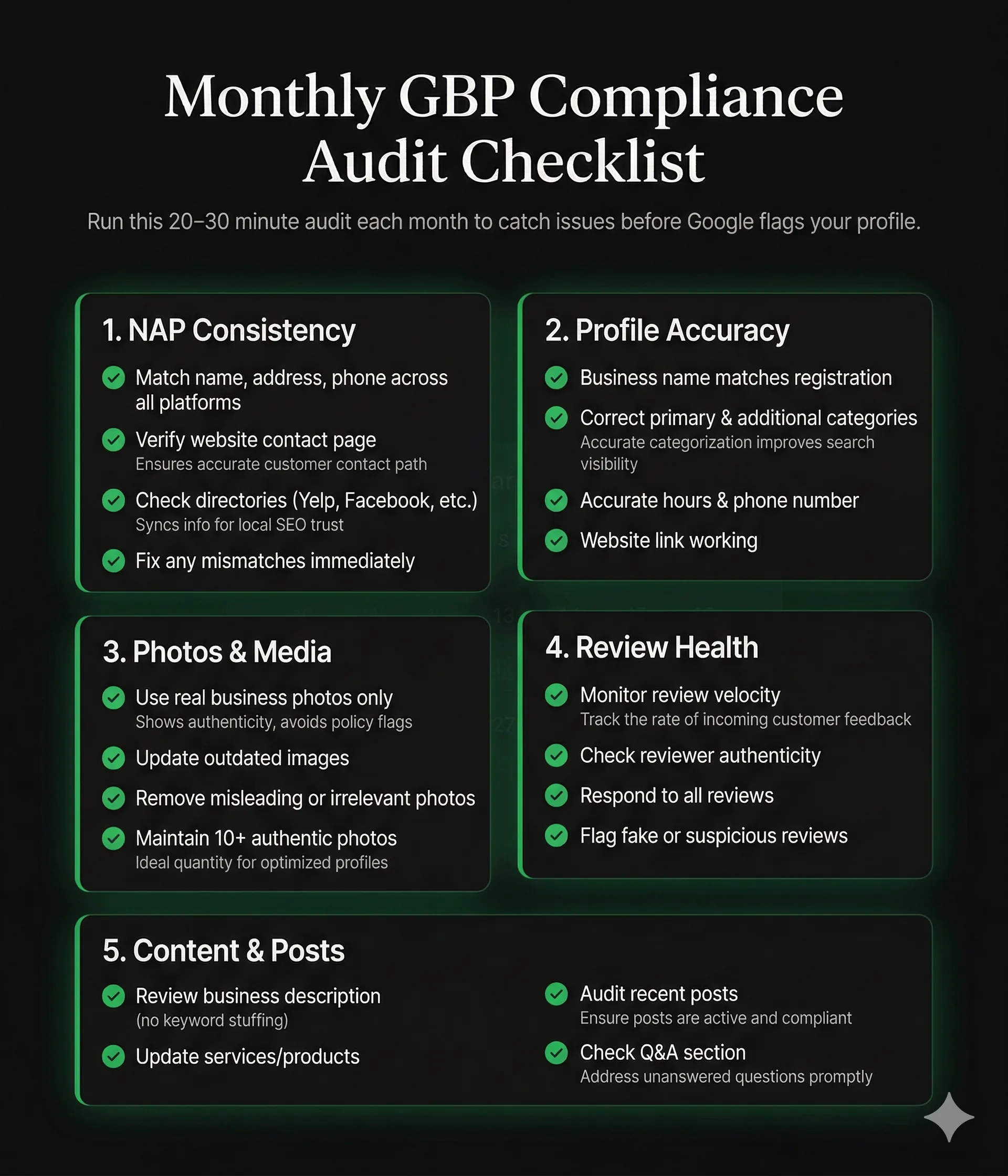
Run a monthly GBP compliance audit to catch violations before Google does. Covers NAP consistency, photo compliance, review health, and content accuracy.
Apr 9, 2026 · Updated Apr 23, 2026

Arif Hussain Shaik
6 min read
TL;DR
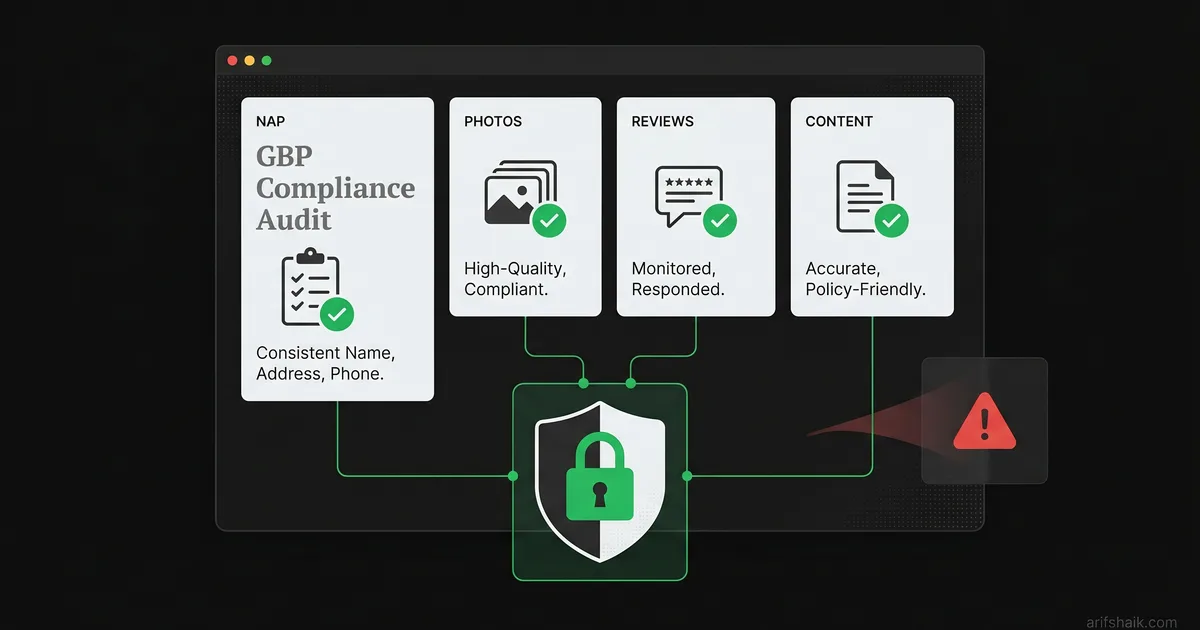
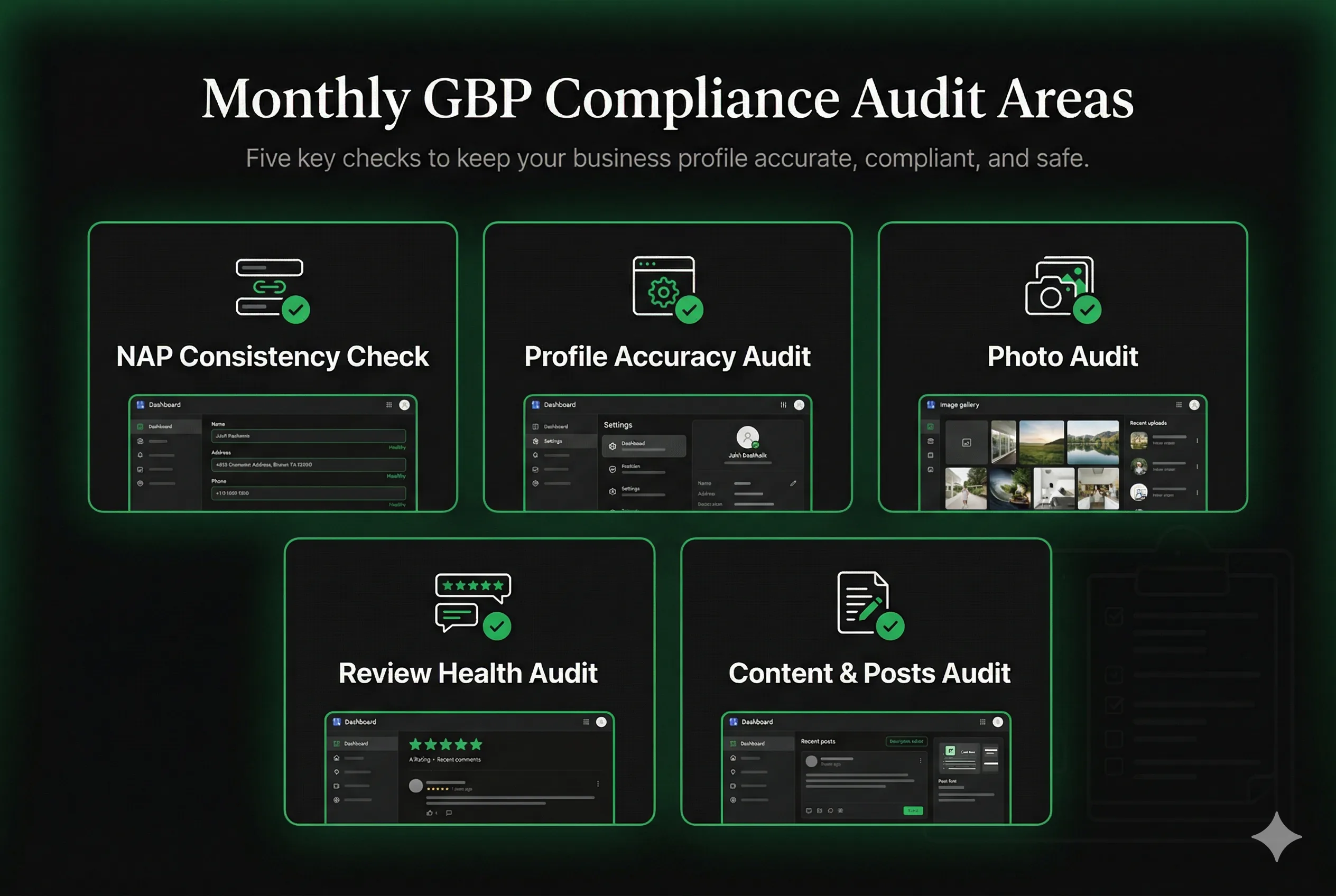
A 20–30 minute monthly GBP audit across five areas — NAP consistency, profile accuracy, photos, review health, and content — catches policy violations before Google does. Keep a simple audit log: it prevents repeat suspensions and doubles as evidence in a reinstatement appeal if Google ever flags your profile.
Ask an AI about this post
Why a Monthly Audit Beats Reactive Recovery
Most business owners only think about their Google Business Profile when something goes wrong — a suspension, a spike in negative reviews, or a competitor outranking them. By that point, the damage is already happening. A monthly compliance audit takes 20-30 minutes and catches issues before they become emergencies. Pair this audit with a deeper full GBP audit each quarter.
The businesses I see suspended repeatedly — some on their third or fourth reinstatement — are almost always ones that never developed a systematic compliance habit. They fix one violation to get reinstated, then fall back into the same patterns that caused the suspension in the first place. Monthly audits break that cycle. Apply the same discipline if you manage multiple Google Business Profiles — each location needs its own log.
This guide gives you a structured monthly audit checklist organized by category. Run through it at the start of each month. Any red flags you find, fix immediately. Keep a simple log of what you checked and when — this documentation can be valuable if you ever need to submit a reinstatement appeal.
Section 1: NAP Consistency Check (5 minutes)
NAP stands for Name, Address, Phone — the three core identity signals Google uses to verify your business. Inconsistencies across platforms are both a ranking problem and a suspension risk.
- Step 1: Open your GBP dashboard. Note your exact business name, address, and phone number as listed.
- Step 2: Open your website contact page. Verify the name, address, and phone match your GBP exactly — including formatting (Suite vs Ste, abbreviated vs full street name).
- Step 3: Check your Yelp, Facebook Business, and top 3 industry directories. Verify they all match.
- Step 4: Google your business name and phone number. Scan the results for any listings that show an old address, old phone number, or incorrect name. Update or claim those listings.
- Red flag: Any mismatch — even punctuation differences — is a potential issue. Fix immediately. Mismatched addresses are a leading cause of wrong-address suspensions.
Section 2: Profile Accuracy Audit (5 minutes)
- Business name: Does it still exactly match your registered business name? If your business has rebranded, DBA changed, or been renamed, update both your GBP and registration documents — and make sure they match to avoid keyword-stuffing name violations.
- Primary category: Is the primary category still the most accurate description of your main business activity? Categories occasionally get renamed or split by Google. Check that yours is still valid — see the GBP categories guide for current best practices.
- Additional categories: Are all additional categories still services you actively offer? Remove any categories for services you've discontinued.
- Business hours: Are your hours up to date, including seasonal changes and holidays? Incorrect hours generate user reports that can trigger manual reviews.
- Website URL: Is the URL current and working? Broken links or redirects that don't resolve to your site are a quality signal issue.
- Phone number: Is it still your primary business number? A disconnected number is a legitimacy red flag.
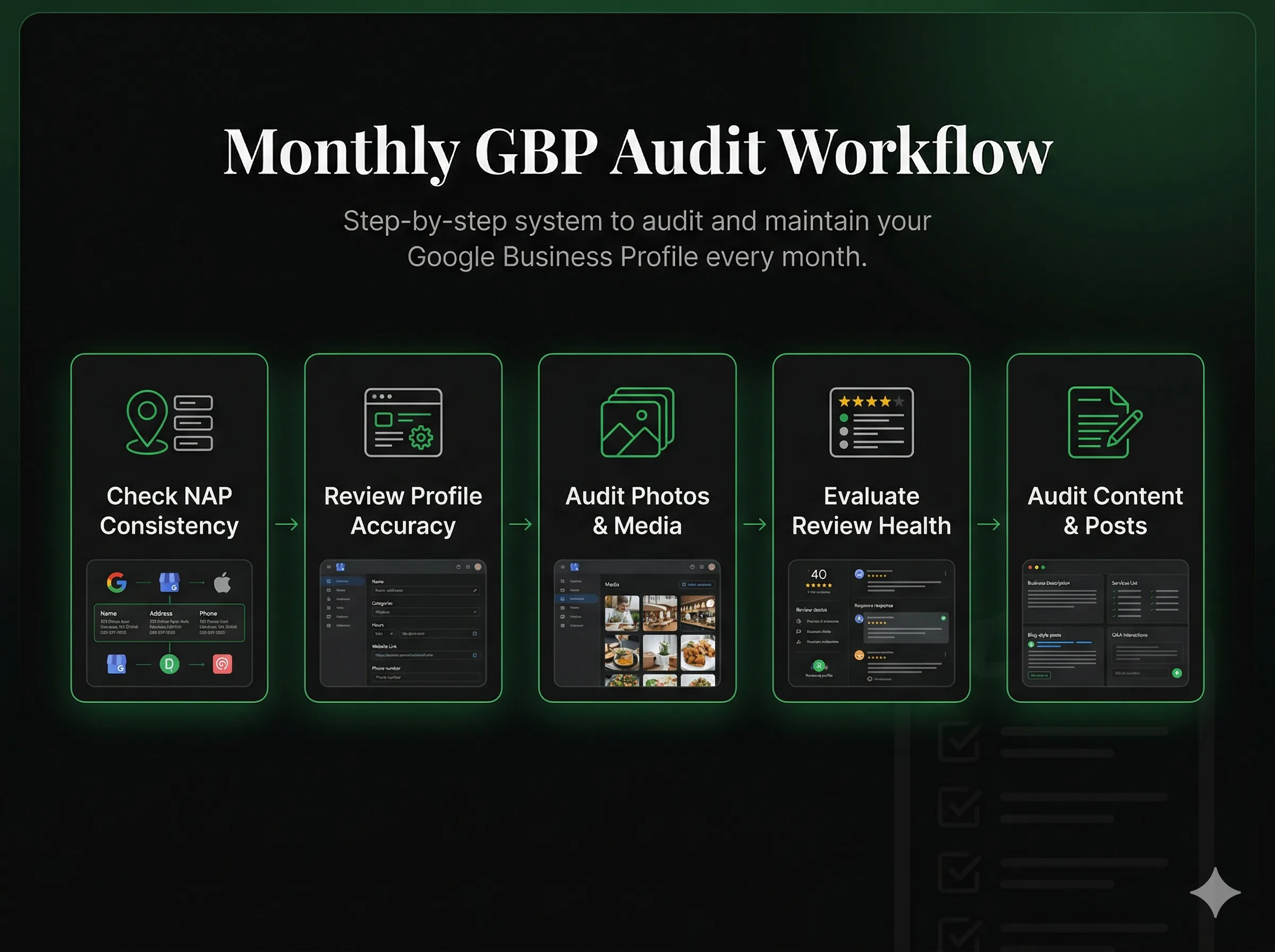
Section 3: Photo Audit (5 minutes)
Photos are one of the most commonly overlooked compliance areas. Business owners often add photos once at setup and never revisit them, not realizing that outdated, inaccurate, or non-compliant photos create both ranking and suspension risks.
- Cover photo: Is it a genuine photo of your business, team, or primary service? Not a stock image or a graphic with text overlaid?
- Profile photo (logo): Is it clean, current, and recognizable at small sizes?
- Interior/exterior photos: Do they reflect your current location accurately? If you've renovated, moved, or rebranded, update your photos to match the current reality.
- User-contributed photos: Scroll through photos added by customers. Flag any that are inaccurate, offensive, or show your competitors' locations (this happens more often than you'd think on shared address buildings) — deceptive visuals can trigger a deceptive-content suspension.
- Photo count: Google rewards profiles with more genuine photos. Aim for 10+ current, authentic photos. Update with new photos every 2-3 months — use the Google Posts guide to keep content fresh.
Section 4: Review Health Audit (5 minutes)
Review health covers two things: the legitimacy of your incoming reviews and how well you're responding to them. Both are compliance areas that Google monitors. For background on what review violations can cause, see the fake reviews suspension guide and the review bombing recovery guide.
- Review velocity: How many reviews did you receive this month? Is it consistent with recent months? In my caseload, a sudden spike of more than roughly double your normal monthly average is a risk signal even if reviews are legitimate — BrightLocal's 2024 Local Consumer Review Survey has documented that unusual review velocity is one of the patterns Google's systems look at. If you ran a review request campaign, track the timing.
- Reviewer profile quality: Scan recent reviews. Do any reviewers have no photo, no other reviews, or accounts created recently? Flag these for removal — even if the review is positive, low-quality accounts hurt your profile's overall health signal.
- Response rate: Are you responding to all reviews — positive and negative? Profiles that respond to reviews regularly have better suspension resistance because they demonstrate active, legitimate management.
- Negative review responses: Are your responses to negative reviews professional, factual, and free of keyword stuffing? Review responses that are long marketing copy or aggressive rebuttals can themselves trigger flags.
- Fake negative reviews: Do any recent 1-star reviews come from accounts with no prior activity, or from reviewers who you have no record of serving? Flag these for removal immediately. See the fake reviews removal guide and the reporting workflow for the removal process.
Section 5: Content and Posts Audit (5 minutes)
- Business description: Re-read your description. Does it describe your business clearly without keyword stuffing? Would a Google reviewer looking for spam patterns flag anything in it?
- Services section: Are all listed services ones you currently offer? Remove discontinued services.
- Products section (if applicable): Are listed products accurate and in stock? Misleading product listings can be flagged as deceptive content.
- Recent posts: If you use Google Posts, review your last 3 posts. Are they relevant to your business? Do any contain prohibited content (certain promotions, specific claims about regulated industries)?
- Q&A section: Check the Q&A section on your listing. Business owners can answer questions — make sure you've addressed any customer questions that appeared, and flag any spam or incorrect answers that may have been added by others.
Documenting Your Audit: Why It Matters for Appeals
Keep a simple audit log — a spreadsheet or even a notes document — that records the date of each monthly audit, what you checked, and any issues you found and corrected. This documentation serves two purposes:
- Suspension prevention: A documented compliance history shows you actively manage your profile. This reduces the likelihood that minor issues escalate to suspensions.
- Appeal evidence: If you are ever suspended despite your compliance efforts, an audit log demonstrates to Google reviewers that you actively monitor and maintain your profile. "I conduct monthly compliance audits and have attached my log showing no violations" is a meaningful statement in a reinstatement appeal.
For the complete prevention checklist, see How to Prevent GBP Suspension: Complete Checklist. If an audit surfaces a problem that already caused a suspension, jump to the full reinstatement playbook and the documents checklist.
Frequently Asked Questions
How long does a monthly GBP audit take?
Should I make GBP changes as I find them during the audit, or batch them?
What should I do if I find a violation during my audit?
Is there a tool that automates GBP compliance checks?
Related Articles
New GBP recovery playbooks, straight to your inbox. No spam.
Suspended GBP? I've reinstated 600+ — 95% success.
I’ve recovered 600+ profiles across 60+ countries. Let me look at yours for free — most assessments take under 24 hours.

Google Business Profile Recovery Specialist
Independent Google Business Profile recovery consultant specializing in suspensions, soft suspensions, and reinstatement appeals. Since 2019, recovered 600+ GBP profiles across 60+ countries — from solo tradespeople to multi-location law firms and healthcare groups. Former Upwork Top Rated freelancer (200+ completed contracts, 5-star average) now consulting direct. Research informed by Sterling Sky (Joy Hawkins), Local Search Forum, and daily work inside Google's Business Profile Community. Every case study and recovery playbook on this site is drawn from real client work — no theory, no AI-generated filler.