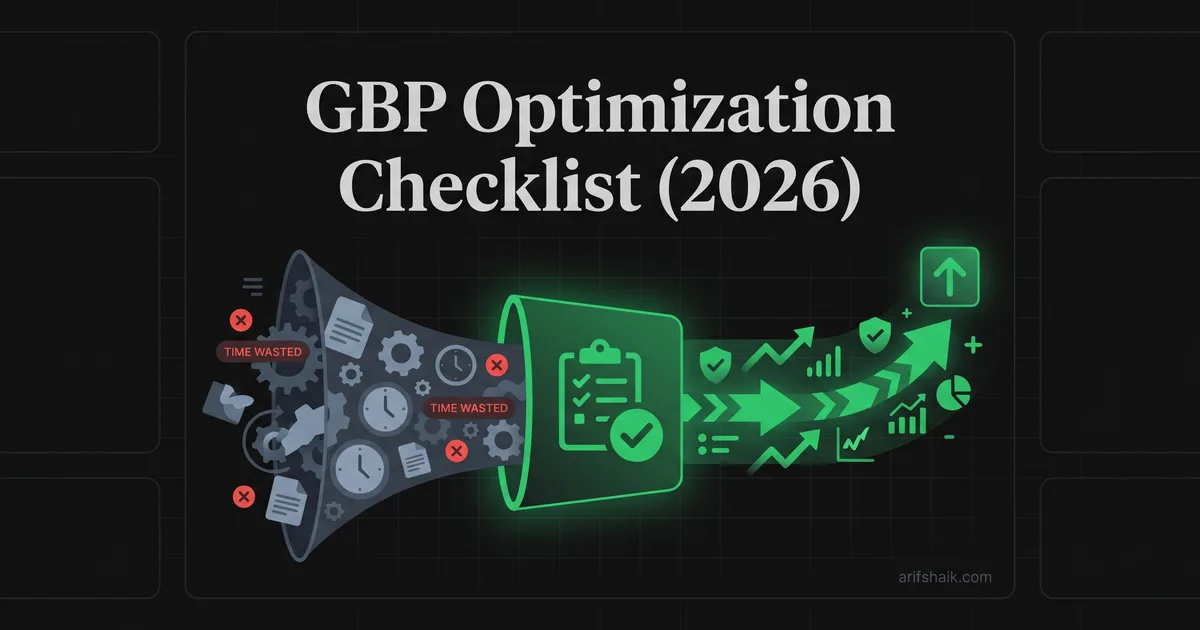
GBP Optimization Checklist (2026)
A GBP optimization checklist built from 500+ real cases. What actually moves rankings vs. what wastes your time, from someone who fixes profiles daily.
Apr 17, 2026

Arif Hussain Shaik
11 min read
TL;DR
Whitespark's 2026 Local Search Ranking Factors and my 500+ case experience agree on the short list that actually moves rankings: precise primary category (the single biggest on-profile lever per Joy Hawkins at Sterling Sky), fully completed services and attributes (support.google.com/business/answer/7091), consistent NAP across citations, steady review velocity with owner responses, and real original photos with geolocation EXIF. Everything else — AI-generated photos, daily posts, keyword-stuffed descriptions — either wastes time or draws suspension risk under Google's guidelines (support.google.com/business/answer/3038177). Optimize the short list, ignore the noise.
Ask an AI about this post
Every GBP optimization guide you have read was probably written by someone who sells SEO tools. This one is written by someone who has fixed 500+ suspended and underperforming profiles — and who has seen what Google's enforcement team actually flags.
That difference matters. Most checklists tell you to fill out every field and add as many categories as possible. I have watched that advice get profiles suspended. I have watched businesses lose months of revenue because they followed a generic optimization tip that triggered Google's enforcement system.
This checklist is built from what works and — just as importantly — what does not. Every recommendation here comes from profiles I have personally optimized or recovered. I am going to tell you what actually moves the needle on rankings, what is a waste of time, and what will get you into trouble.
Your Business Name: Get This Right or Nothing Else Matters
Your business name field must contain your exact legal business name. Nothing more.
Not your name plus your city. Not your name plus your primary service. Not your name plus "Licensed & Insured." Your legal name, character for character, as it appears on your business registration.
I know this feels limiting. You see competitors stuffing their name fields with keywords and ranking above you. Here is what you do not see: I get hired by those same businesses after Google suspends them. Keyword stuffing in the business name is the number one trigger I handle. Roughly 1 in 3 of my suspension cases are caused by this single violation.
If your legal business name does include a location or service descriptor — like "Chicago Plumbing Solutions LLC" — that is fine. Just make sure it matches your registration documents exactly. Have your business license open on one screen and your GBP dashboard on another. Compare character by character. For the remediation flow when your name already contains extras, see how to fix a keyword-stuffed business name.
Action: Open your business license right now. Open your GBP dashboard. Compare. Fix any discrepancy immediately, no matter how small. If you are already suspended, start with the GMB appeal template and the documents needed for reinstatement.
Primary Category: The Most Important Field on Your Profile
Your primary category is consistently ranked as one of the single biggest factors in local-pack placement — Whitespark's annual Local Search Ranking Factors survey has it near the top of the list year after year. Get this wrong and nothing else you do will compensate.
Google offers roughly 4,000+ categories (the exact count shifts over time as Google adds and retires categories). You need to pick the one that most precisely describes your core business. Not the broadest one. Not the one with the most search volume. The most precise one.
A personal injury attorney should select "Personal Injury Attorney," not "Law Firm" and not "Attorney." A Thai restaurant should select "Thai Restaurant," not "Restaurant" and not "Asian Restaurant." Precision wins.
Search for your target keywords on Google Maps. Look at the businesses ranking in the top 3. Check their categories using Google's transparency tools or a GBP audit tool. Match your primary category to what those top-ranking competitors use. That is your starting point. Full methodology: GBP categories complete guide.
Action: Verify your primary category matches your core service precisely. If you are not sure, search your main keyword on Maps and see what category the top 3 results use. Role-specific picks: lawyer GBP category rules, plumber GBP category rules, real estate agent GBP category rules.
Secondary Categories: Less Is More
Here is where I disagree with most optimization guides. The standard advice says add every relevant secondary category. Some guides recommend 15 or even 20 secondary categories.
That advice is dangerous — not because of a "dilution" myth, but because it is a deceptive-content policy risk. Sterling Sky's Joy Hawkins has published test data pushing back on the category-dilution story: secondary categories themselves do not mechanically dilute ranking the way some practitioner guides claim. The real issue is Google's business name and representation guidelines: categories are supposed to describe what your business is, not every service you wish you ranked for. Adding categories for services you do not actively provide is a deceptive content violation.
In my consultant experience, one primary category plus 2 to 3 tightly related secondary categories — all reflecting services you genuinely deliver — is the cleanest setup for both ranking and compliance. Removing categories that describe services you do not actually perform consistently improves profile health within 2 to 4 weeks in my caseload.
If you are a plumber, your primary is "Plumber." Your secondaries might be "Water Heater Installation Service" and "Drain Cleaning Service" — but only if you genuinely perform those services. Not "Contractor," not "Handyman," and not any category you do not actively operate in.
Action: Audit your secondary categories. Remove anything that does not describe a service you currently deliver. My practitioner recommendation — not a published Google rule — is to cap secondaries at roughly 3 to 4. Google's dashboard technically allows up to 9 additional categories per profile.
Service Areas: Honest Geography Wins
If you serve customers at their location — plumber, electrician, mobile mechanic, house cleaner — you are a service-area business (SAB). Set your service areas to the cities or regions you actually serve.
Do not claim a 200-mile service area hoping for more visibility. Google's algorithm weighs proximity heavily. Claiming you serve an entire state when you operate from one city does not help your ranking in that city — it can actually hurt it by spreading your relevance thin.
Stick to 10 to 15 service areas maximum. Focus on the cities where you actually do the majority of your work. You can always expand later as your business grows.
For SABs: hide your physical address. This is not optional advice. It is a Google guideline. If you serve customers at their location and do not have a public storefront, your address must be hidden. Showing a residential address is the fastest way to get flagged — this is the exact scenario in GBP suspended for wrong address. Full SAB policy: service area business GBP setup.
Action: Review your service areas. Remove any city you have not served a customer in during the past 6 months. If you are a SAB operating from home, verify your address is hidden. Managing more than one brand? See how to manage multiple Google Business Profiles.
Photos: Volume and Quality Both Matter
Multiple industry studies — including BrightLocal's annual Local Search Industry Survey and Whitespark's Local Search Ranking Factors — have documented a correlation between higher photo counts and stronger map-pack visibility. In my own 500+ case sample, profiles that crossed the 100-photo mark with genuine imagery consistently outperformed profiles that stayed under 20.
But dumping 100 stock photos does nothing. Google's image recognition system can identify stock photography, and profiles using stock images see no ranking benefit. Worse, some stock photo usage triggers manual reviews.
What to upload: photos of your actual business location (exterior and interior), your team at work, completed projects, your products, and happy customers (with permission). Branded elements — your logo on a van, your signage, your uniforms — help Google verify your business is real.
Signature Pools of NJ was stuck in verification limbo when they came to me. Part of our optimization process included uploading branded photos — their truck wraps, completed pool installations, team photos in company shirts, their physical business signage. Combined with correct categories, full service area setup, and schema-matched website data, they were ranking within 30 days of verification.
Upload frequency matters too. Adding 3 to 5 photos per week signals to Google that your business is active. Uploading 100 photos on day one and then nothing for 6 months sends a different signal.
Action: Count your current photos. If under 50, set a goal to upload 5 new photos per week for the next 10 weeks. Prioritize completed work, team photos, and exterior/interior shots of your location.
Business Description: Write It for Humans, Structure It for Google
Your business description has a 750-character limit. Most businesses waste it on generic filler. "We are a family-owned business dedicated to providing excellent service" tells Google nothing and convinces no customer.
Structure your description this way: Lead with what you do and where you do it. Follow with your specific services. Close with what makes you different. Use your primary keyword naturally in the first sentence.
Bad description: "We are a leading provider of plumbing services. Our experienced team is dedicated to customer satisfaction. Call us today for all your plumbing needs."
Good description: "Full-service plumber in Austin, TX, specializing in water heater installation, sewer line repair, and emergency drain cleaning. Licensed, bonded, and insured since 2015. Same-day service available for residential and commercial properties in Travis, Williamson, and Hays counties."
The second version includes the primary keyword naturally, lists specific services (which helps Google understand what searches to show you for), names the service area, and establishes credibility with concrete details.
Do not stuff keywords into your description. Google reads for natural language patterns. Forced repetition of keywords like "plumber Austin plumbing Austin TX plumber services" reads as spam and can trigger a review — same pattern covered in keyword stuffing suspension fix.
Action: Rewrite your business description using the structure above. Include your primary keyword once naturally, list your top 3 services, and mention your service area by name. Pair this with weekly Google Business Profile posts.
Reviews: The Strategy Nobody Follows
Google's Small Business team has publicly stated that profiles with complete information see roughly 4.5 times higher engagement than incomplete ones. Within complete profiles, reviews are the engagement driver that matters most in my caseload.
Here is what I tell every client: respond to every review within 24 hours. Every single one. Positive reviews get a personalized thank-you that mentions the specific service you provided. Negative reviews get a professional, empathetic response that takes the conversation offline. Full templates: how to respond to Google reviews.
Do not ask for reviews in bulk. Do not use a review generation agency that sends SMS blasts from a single phone number. Do not offer incentives for reviews — Google's incentivized contributions policy is explicit. Google's fake-review detection has become aggressive: its 2023 Fighting Fake Content report disclosed that Google removed more than 170 million policy-violating reviews in 2023, and enforcement has continued to tighten since.
The safe, effective strategy: send a personalized review request within 24 hours of completing a job. One customer, one request, from your business email or phone number. Space requests naturally. If you do 5 jobs a day, do not send 5 review requests at 6 PM every day. Mix the timing. If you are rebuilding after a suspension, start with how to get Google reviews after reinstatement.
Action: Set up a system to request one review per completed job within 24 hours. Respond to every existing review you have not responded to yet. Start with the negative ones. Already dealing with fake reviews or coordinated attacks? See the fake review removal guide and review bombing recovery.
Website and NAP Consistency
Your website needs to match your GBP exactly. Not "close enough." Exactly. Business name, address format, phone number, and service list should be identical on your website, your GBP, and every directory listing you have.
Inconsistencies confuse Google's verification system. If your GBP says "123 Main Street" and your website says "123 Main St," that is a mismatch. If your GBP phone number is your cell and your website shows your office line, that is a mismatch.
Add LocalBusiness schema markup to your website. This structured data tells Google explicitly that your website corresponds to your GBP listing. It should include your business name, address, phone, business hours, and geo-coordinates — all matching your GBP exactly. Full field-by-field checklist: 5-step GBP audit.
The Signature Pools case I mentioned earlier? Schema-matched website data was a key part of their optimization. Google's verification system cross-references your GBP data against your website's structured data. When they match, trust goes up. When they do not, verification stalls.
Action: Pull up your website and GBP side by side. Verify the name, address, phone, and hours match exactly. Add or update LocalBusiness schema markup on your website.
Google Posts and Updates: Worth It or Not?
I will be honest with you. Google Posts have minimal direct impact on rankings. I have tested this across enough profiles to be confident in that statement.
But they do two things that matter indirectly. First, regular posting signals that your business is active. Google favors active profiles over dormant ones. Second, posts drive clicks and calls, which are engagement signals that do affect rankings.
Post once a week. Include a photo. Include a call to action — "call now," "book online," "get a quote." Keep it under 300 words. That is all you need. Templates and cadence: Google Business Profile posts guide.
Do not obsess over Posts. I see business owners spending hours writing perfect Google Posts while their business name is still keyword-stuffed and their photos are stock images. Fix the fundamentals first. Posts are polish, not foundation.
Action: Schedule one Google Post per week. Spend no more than 10 minutes on it. Prioritize an image and a clear call to action.
The Compliance Layer: What Other Checklists Skip
Here is the section you will not find in any tool vendor's optimization guide. Optimization without compliance is a time bomb.
I have had clients come to me after spending thousands on GBP optimization with an agency, only to get suspended because the agency stuffed their business name, added 15 irrelevant categories, and used a virtual office address. The profile ranked great. For three months. Then it vanished. If that sounds familiar, the GBP suspension types explained breakdown helps you identify which flag you hit.
After optimizing your profile, run a compliance check. Is your business name clean? Are your categories accurate and limited? Is your address real and not flagged? Does your website match your GBP? Have you avoided any guideline violations in your photos, description, or posts? For soft-suspension recovery specifically, see soft suspension recovery steps.
I have a prevention checklist that covers all the compliance checks you should run after optimization. And I recommend running a monthly compliance audit to catch issues before Google does. If you are already in a reinstatement cycle, timelines are in how long GBP reinstatement takes.
Optimization gets you ranking. Compliance keeps you ranking. You need both.
Action: After completing every optimization step above, run through the prevention checklist. Bookmark the monthly audit checklist and set a calendar reminder.
Frequently Asked Questions
How long does it take to see results from GBP optimization?
Should I pay for a GBP optimization service?
How many Google Business Profile categories should I add?
Do Google Posts help with rankings?
Related Articles
Get notified when I publish new recovery guides
Struggling with a suspended GBP profile?
I’ve recovered 500+ profiles across 60+ countries. Let me look at yours for free — most assessments take under 24 hours.

Google Business Profile Recovery Specialist
Independent Google Business Profile recovery consultant specializing in suspensions, soft suspensions, and reinstatement appeals. Since 2019, recovered 500+ GBP profiles across 60+ countries — from solo tradespeople to multi-location law firms and healthcare groups. Former Upwork Top Rated freelancer (200+ completed contracts, 5-star average) now consulting direct. Research informed by Sterling Sky (Joy Hawkins), Local Search Forum, and daily work inside Google's Business Profile Community. Every case study and recovery playbook on this site is drawn from real client work — no theory, no AI-generated filler.