GBP for Home-Based Businesses: Complete Guide
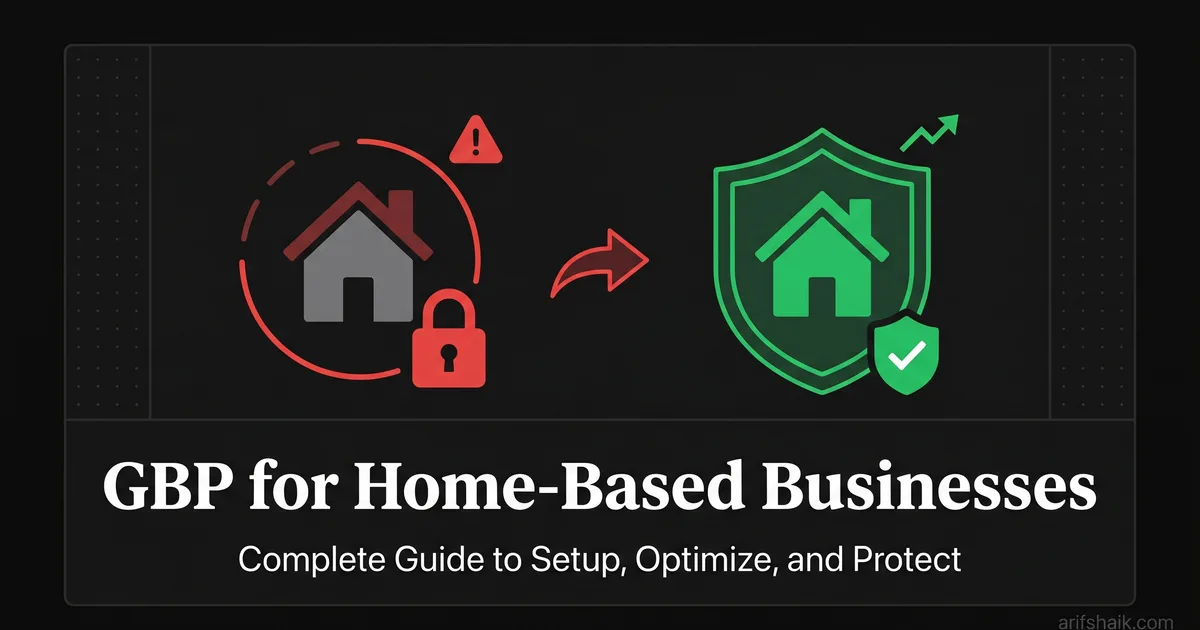
Home-based businesses are the most suspension-prone GBP category. Here is how to set up, optimize, and protect your profile from my 500+ case experience.
Apr 17, 2026

Arif Hussain Shaik
12 min read
TL;DR
Home-based businesses are the single highest-risk GBP category in my 500+ caseload because Google's guidelines (support.google.com/business/answer/3038177) require home-based operations to hide the residential address and list named service areas only. Leaving the home address visible is the fastest way to a suspension. The safe setup: configure as a service-area business from day one, hide the address, list the specific cities served (never a radius), and be ready for video verification (support.google.com/business/answer/14271705), which for home businesses means filming the exterior, your workspace, equipment, branded materials, and a utility bill. Joy Hawkins at Sterling Sky has confirmed video verification is now Google's default for home-based SABs.
Ask an AI about this post
Home-based businesses make up roughly 40% of my suspension caseload. Four out of every ten business owners who contact me for help are running a legitimate business from home and got flagged by Google. This is the most suspension-prone category I work with, and it does not have to be.
I am going to walk you through setting up a Google Business Profile from a home address, optimizing it for visibility, and — most importantly — keeping it from getting suspended. Everything here comes from fixing these exact problems for years across hundreds of cases.
If you are a plumber, electrician, house cleaner, mobile mechanic, freelance consultant, photographer, or any other professional who works from home and serves customers at their location — this guide is for you.
The One Rule That Prevents Most Home-Based Suspensions
Hide your address.
That is the rule. If you serve customers at their location and do not have a public-facing storefront at your home, your address must be hidden on your Google Business Profile. This is not my opinion — it is Google's official guideline for service-area businesses. In my 500+ case caseload, a visible residential address is by far the single most common trigger for home-based business suspensions — it shows up in roughly 8 out of 10 of the home-based suspensions I have handled.
When I say "hide your address," I mean set your profile to display service areas only. Go to your GBP dashboard, click "Info," find the address section, and select "I deliver goods and services to my customers." Then clear the address field so it is not displayed publicly.
Your address still exists in Google's system for verification purposes. Customers just cannot see it on your profile or on Maps. Instead, they see the areas you serve.
I know some business owners want their address visible because they think it helps with local search rankings. It does not. Not for SABs. Google ranks service-area businesses based on the centroid of their service area, their relevance to the search query, and their profile strength — not based on having a pin on the map.
Action: Go to your GBP dashboard right now. If your home address is visible publicly, hide it immediately. Set your profile to service-area-only display. Do not wait until tomorrow. Every day your residential address is showing publicly is a day you could get suspended.
The HVAC Owner in Chicago: A Real Case
An HVAC contractor in suburban Chicago contacted me after a hard suspension. He had been running his home-based SAB for 3 years. Three years without any problems. Reviews were solid, leads were flowing, business was growing.
Then Google Street View updated the imagery for his street. The new photos clearly showed a residential house at his business address. Google's system flagged it automatically — Near Media's Mike Blumenthal has publicly documented Street-View-triggered suspensions as a recurring pattern. Hard suspension. No warning, no notification before the suspension, just gone.
Three years of building his profile, collecting reviews, posting updates — all invisible overnight because a Google car drove down his street and took new photos.
Here is what we did. First, we hid his address — should have been hidden from day one. Second, we gathered documentation: his business license, his contractor license for HVAC work, photos of his branded service van, and a video showing his dispatch area with service equipment. Third, we submitted an appeal with all documentation.
First appeal was denied. We refined the documentation package using the denied-appeal playbook. Added more branded material, included customer invoices with addresses in his service area redacted for privacy, and wrote a clearer explanation of his service-area business model. Second appeal was approved. Profile reinstated after 21 days total.
Twenty-one days without a Google Maps presence. For an HVAC contractor whose business depends on local search. That is thousands of dollars in lost revenue — for a problem that never should have happened.
Setting Up Your Home-Based GBP the Right Way
If you have not created your profile yet, follow this exact process. If you already have a profile, audit yours against these steps and fix any discrepancies.
Step 1: Business name. Use your exact legal business name. Nothing added, nothing removed. If your business license says "Johnson HVAC Services LLC," that is your GBP name. Not "Johnson HVAC Services — Emergency AC Repair Chicago." Just the legal name.
Step 2: Address configuration. Enter your home address during initial setup (Google needs it for verification). Immediately after verification, switch to service-area mode and hide the physical address. You enter the address, verify, then hide. That sequence matters.
Step 3: Service areas. Add the cities and regions you actually serve. Be honest. 10 to 15 service areas is a good range. Do not claim an entire state.
Step 4: Categories. Pick your primary category carefully — the most specific one that matches your primary service. Add 2 to 3 secondary categories maximum. For a plumber working from home: Primary is "Plumber," secondaries might be "Drain Cleaning Service" and "Water Heater Installation Service."
Step 5: Phone number. Use a dedicated business phone number, not your personal cell. If you use a personal number, get a Google Voice number or a second line. The phone number should match what is on your website and other business listings.
Step 6: Website. Your website must mention your business name and service areas. It should have LocalBusiness schema markup with your service area (not your home address). The phone number on your site must match your GBP phone number exactly.
Home-Based vs. Virtual Office: Which Is Safer?
Here is a take that surprises most business owners: home-based businesses are safer than virtual office businesses on Google. By a significant margin.
Google maintains a database of virtual office addresses. Regus locations, WeWork spaces, UPS Store mailboxes, and similar providers are all in that database. When you use one of those addresses, Google's system flags your profile on sight. Not eventually. On sight.
I have seen virtual office profiles get suspended within hours of creation. The address match is immediate. There is no grace period, no warning, no "we noticed your address might be a virtual office." Just suspension.
A hidden home address? Far more stable. As long as your address is not displayed publicly and your profile is correctly configured as a service-area business, Google has no reason to flag you. Your home address is just an address in their system — not a known virtual office location.
If you are currently using a virtual office address, read my virtual office GBP suspension guide immediately. You are on borrowed time. Switching to a legitimate home address with hidden display is a better long-term strategy than any virtual office setup.
Action: If you are using a virtual office address for your GBP, plan your transition to a home address now. Do not wait for the suspension.
Verification Challenges for Home-Based Businesses
Home-based businesses face specific verification hurdles that storefront businesses do not. Understanding them in advance saves weeks of frustration.
Video verification is the most common method for home-based SABs in 2025 and 2026 (see Google's guide at support.google.com/business/answer/14271705). Google wants to see that a real business operates from the address you provided. For a home-based business, this means showing business equipment, supplies, branded materials, and your workspace.
What to show during video verification: your business license or registration visible at your workspace, any branded equipment (tools, van wraps, uniforms, signage), your business supplies and inventory, and — critically — a transition from the exterior of your home to your workspace. Google wants to confirm the address matches.
What not to show: only living spaces. If your video looks like a house tour with no business evidence, verification will fail. You need to demonstrate that business activity happens at this address.
If you do not have a dedicated workspace, create one before filming. Clear a desk, set up your business materials, display your license. You do not need a separate office. You need visible evidence of business activity at the address.
Postcard verification may still be available in some areas. If offered, the postcard comes to your home address. Enter the code promptly — codes expire after 30 days.
Optimizing Your Home-Based SAB Profile
Once your profile is set up correctly and verified, optimization follows the same principles as any GBP — with a few home-based-specific considerations.
Photos matter more for SABs. Without a storefront for customers to photograph, you are responsible for all visual content on your profile. Upload photos of completed work, your vehicle (especially if branded), your team in action, and before/after shots of projects.
Aim for 50+ photos minimum. Upload 3 to 5 per week. Avoid any photos that show your home address, house number, or street name. This includes photos of your branded van parked in your driveway with your house visible in the background. Crop or reshoot those.
Reviews are your storefront. Customers cannot walk past your business and decide to try you. Your reviews are the digital equivalent of curb appeal. Build reviews steadily using individual, personal requests after each job. No bulk campaigns, no platforms, no incentives.
Google Posts keep you active. Post weekly about completed projects, seasonal tips, or service announcements using the GBP Posts guide. Include photos from actual jobs. This signals to Google that your business is active and legitimate.
Service descriptions should be thorough. Since you do not have a physical location for Google to evaluate, your service list and descriptions carry more weight. Add every specific service you offer as a service item with a description.
Action: Audit your photo count. If under 50, create a schedule to upload 5 photos per week. Prioritize job completion photos and branded vehicle/equipment shots. Remove any photos that inadvertently reveal your home address.
What to Do If You Get Suspended
If your home-based SAB gets suspended, here is your recovery playbook. This is the same process I use with clients.
Do not panic-edit your profile. Some business owners immediately start changing their address, category, or business name. Every edit during suspension adds complexity to your case. Leave everything as-is until you have a plan.
Identify the trigger. Was your home address visible publicly? Did Google Street View recently update your area? Did you make a recent edit that triggered a re-review? Did someone report your listing? Understanding the cause determines your appeal strategy.
Gather documentation before appealing. You need: business license or registration, professional certifications or licenses specific to your trade, proof of service area operations (invoices, contracts with addresses redacted), branded materials (vehicle wraps, business cards, uniforms), and photos or video of your home workspace with business equipment.
Fix the violation before appealing. If your address was visible, hide it (you can edit this even while suspended in most cases). If your name was keyword-stuffed, correct it. Submitting an appeal without fixing the root cause is a wasted appeal.
Submit one clean appeal. Use a proven appeal template and the reinstatement letter examples to explain your business model clearly. You are a service-area business that operates from a home office and serves customers at their locations. Include all documentation. Be concise and factual.
If your first appeal is denied, refine your documentation. Do not resubmit the same package. Add more evidence, clarify your explanation, include additional proof of legitimate business activity. Second appeals succeed when they address whatever the first appeal did not.
My guide on GBP suspension types explains the difference between hard and soft suspensions, which affects your appeal process. And the prevention checklist should be your post-reinstatement bible. If the trigger turns out to be a keyword-stuffed business name, fix the name before you resubmit.
Common Mistakes Home-Based Business Owners Make
Beyond the address visibility issue, I see the same mistakes repeatedly. Here is the full list so you can avoid every one of them.
Using a P.O. Box. Google does not accept P.O. Boxes for GBP verification. If you register with a P.O. Box, you will be rejected or suspended.
Using a family member's address. If you do not actually conduct business from that address, you are violating Google's guidelines. Google verifies through Street View, postcard delivery, and video verification. An address where your business does not operate will fail at least one of these checkpoints.
Operating multiple GBP profiles from one home address. If you and your spouse each run separate businesses from the same home, each business can have its own GBP — but only if they are genuinely different businesses with separate licenses, different phone numbers, different websites, and different services. Two profiles in the same category at the same address will be flagged as duplicates.
Not updating when you move. If you move to a new home, update your GBP address immediately. A postcard or video verification tied to your old address will fail. And if Google catches a mismatch between your registered address and your actual location, that is a suspension trigger.
Uploading photos that reveal your address. Photos of your work van in your driveway with your house number visible. Screenshots of maps with your home pinpointed. Photos of business materials on your kitchen table with mail showing your address in the background. Review every photo before uploading.
Long-Term Strategy for Home-Based GBP Success
Running a successful Google Business Profile from home requires ongoing attention. Not daily monitoring, but monthly hygiene checks that prevent problems before they start.
Every month, verify that your address is still hidden. Google occasionally resets profile settings during updates. I have seen address visibility flip back to "visible" after Google system updates without the business owner making any changes.
Check Google Street View for your home address periodically. If new imagery shows your home clearly, and your business category implies commercial activity, be proactive. Ensure your profile is locked down as a service-area business with hidden address before Google's systems flag the discrepancy.
Keep your documentation current. Business licenses expire. Insurance certificates renew annually. Have updated versions ready so you are not scrambling if you ever need to submit an appeal.
Build your profile strength consistently with a full profile audit, then layer in ranking tactics for the map pack. In my consultant experience, a strong profile with many reviews, regular posts, and extensive photos is more resilient than a bare-bones profile — Google appears less likely to suspend a profile that has 200 reviews and years of activity than one with 5 reviews and minimal engagement. Google does not publicly document this ranking-of-resilience, so treat it as a caseload observation rather than a stated rule.
Use my monthly compliance audit checklist to stay on top of potential issues, and check my map-pack guide so visibility keeps compounding. Ten minutes a month prevents weeks of recovery work. And if you ever hear "we can't find your business on Maps", this routine is what catches it first.
Action: Set a monthly calendar reminder to run a quick compliance check. Verify address is hidden, review count is stable, no unauthorized edits have been made, and your documentation is current.
Frequently Asked Questions
Can I have a Google Business Profile if I work from home?
Will hiding my address hurt my Google Maps ranking?
What if Google asks me to verify my home address on camera?
Is it better to rent an office just for my GBP address?
Related Articles
Get notified when I publish new recovery guides
Struggling with a suspended GBP profile?
I’ve recovered 500+ profiles across 60+ countries. Let me look at yours for free — most assessments take under 24 hours.

Google Business Profile Recovery Specialist
Independent Google Business Profile recovery consultant specializing in suspensions, soft suspensions, and reinstatement appeals. Since 2019, recovered 500+ GBP profiles across 60+ countries — from solo tradespeople to multi-location law firms and healthcare groups. Former Upwork Top Rated freelancer (200+ completed contracts, 5-star average) now consulting direct. Research informed by Sterling Sky (Joy Hawkins), Local Search Forum, and daily work inside Google's Business Profile Community. Every case study and recovery playbook on this site is drawn from real client work — no theory, no AI-generated filler.