How to Rank Higher on Google Maps (From 500+ Cases)
Real Google Maps ranking factors from 500+ GBP cases. Skip the recycled SEO advice — here is what actually moves your business into the 3-pack.
Apr 17, 2026

Arif Hussain Shaik
11 min read
TL;DR
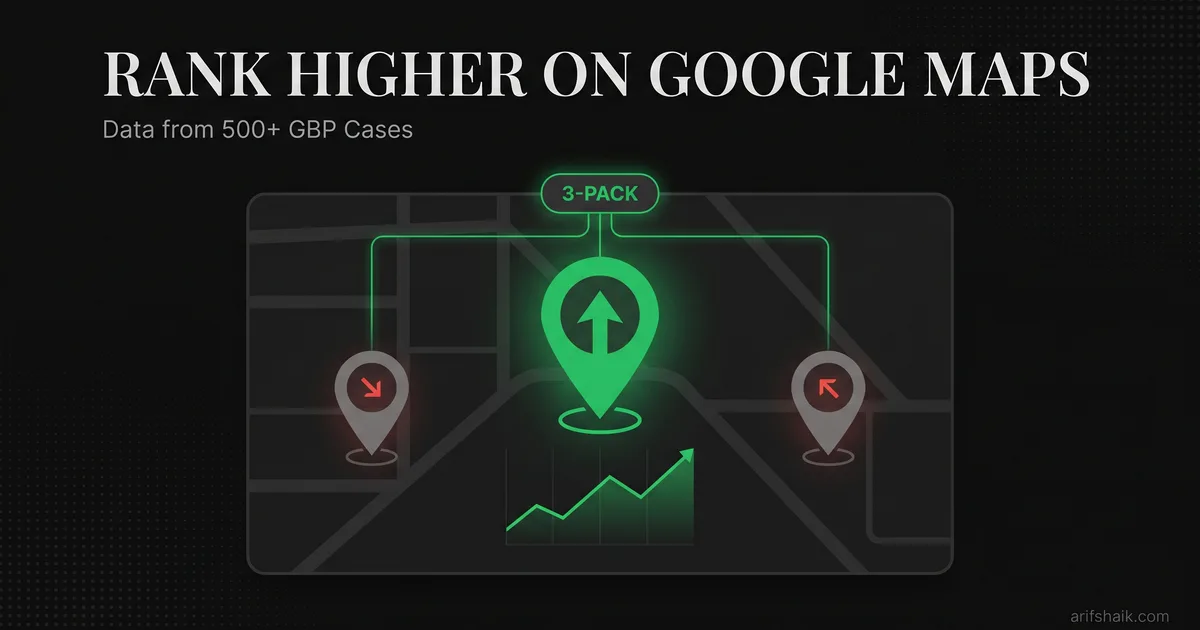
Google Maps ranks on three buckets — relevance, distance, and prominence — and across 500+ cases the highest-ROI levers are always the same: an exact-match primary category, complete services and attributes, steady owner-responded review velocity, consistent NAP across citations, and real on-location photos with fresh upload dates. Whitespark's 2026 Local Search Ranking Factors and BrightLocal's 2024 LCRS back this order. What does not rank: AI-generated photos, daily keyword-stuffed posts, buying backlink packs, or creating secondary profiles (which triggers Google's duplicate filter per support.google.com/business/answer/3038177). Fix the basics, ignore the noise, and 3-pack visibility follows in 30–90 days for most markets.
Ask an AI about this post
Most "how to rank higher on Google Maps" articles recycle the same generic advice. Complete your profile. Get reviews. Add photos. Thanks — groundbreaking stuff. I have recovered and optimized over 500 Google Business Profiles across 60+ countries. Here is what actually moves the needle versus what SEO blogs copy from each other.
Google Maps ranking is not mysterious. Google's local-ranking help page (Help ID 7091) publishes three factors: relevance, distance, and prominence. The mystery is in the weight each factor carries and how to influence them when your competitors are doing the same basic optimization. Whitespark's 2023 and 2026 Local Search Ranking Factors surveys break those weights down by signal — primary category, review signals, business title, and services consistently rank as the top-weighted inputs.
I am going to walk you through the ranking factors in order of impact — based on what I have seen actually move profiles into the 3-pack, not what sounds good in a blog post. For the fundamentals of the local pack itself, start with my Google Map Pack guide and the full GBP optimization checklist.
The Three Ranking Factors Google Actually Uses
Google's local-ranking help page (Help ID 7091) confirms three factors determine local search ranking: relevance, distance, and prominence. Every optimization you make falls into one of these buckets. Understanding which bucket matters most for your situation saves you from wasting time on tactics that will not move your ranking.
Relevance is how well your profile matches what someone searched for. This is driven by your business categories, services, business description, posts, and the content on your website. If someone searches "emergency plumber" and your primary category is "Plumber" with "emergency plumbing" listed in your services, you are relevant.
Distance is how far your business is from the searcher. You cannot game distance. Your physical location is your physical location. But you can influence how far Google considers your service area through proper service area business settings, home-based-business address handling, and location-specific content.
Prominence is how well-known and trusted your business appears. Reviews, citations, backlinks, website authority, and profile activity all feed prominence. This is where most optimization effort should go because it is the factor you have the most control over — starting with a full GBP audit.
Action step: Ask yourself which factor is holding you back. If competitors with worse profiles outrank you, it is likely distance. If you rank for some terms but not others, it is relevance. If you rank on page 2 across the board, it is prominence. Focus your effort accordingly.
Category Selection: The Most Underrated Ranking Factor
Your primary category is the single most influential ranking signal you control. I have seen category changes alone move a business from page 2 to the 3-pack. Not combined with other changes — just the category.
Google offers thousands of business categories. Most businesses pick one or two and stop. That is a mistake. You can set one primary category and up to nine additional categories (Google Help ID 3038177). Joy Hawkins' December 2025 Sterling Sky category research found that adding more relevant additional categories helps — the old "category dilution" warning has been tested and disproven. Each additional category that accurately maps to a service you provide expands the search queries you are eligible to appear for. For the full category-picking methodology, see my GBP categories guide.
Your primary category should match your most important keyword. If you want to rank for "dentist," your primary category should be "Dentist," not "Dental Clinic" or "Cosmetic Dentist." Those can be additional categories. The primary category carries the most ranking weight.
Here is how I approach category selection for clients:
- Search your main keyword on Google Maps. Look at the 3-pack results. What primary category do the top three businesses use? Match it.
- Add every relevant additional category. A plumber should have: Plumber (primary), Plumbing Service, Water Heater Repair Service, Drain Cleaning Service, and any other applicable categories.
- Do not add irrelevant categories trying to cast a wider net. A plumber adding "Electrician" when they do not actually do electrical work creates a category-service mismatch that weakens relevance signals and can trigger a compliance review — similar to keyword stuffing the business name.
Action step: Search your top three keywords on Google Maps. Note the primary categories of the businesses in the 3-pack. If your primary category does not match what the top-ranked businesses use, change it today.
The Takecare Clinic Case: From Page 2 to 3-Pack in 60 Days
Takecare Clinic Pha Ngan is a medical clinic in Thailand that opened a second branch at a beachfront location. Despite being a well-known clinic on the island, their new location was stuck on page 2 of Google Maps for "clinic Pha Ngan" — their most important keyword.
I audited the profile and found four problems:
- Wrong primary category. They had "Medical Center" as primary instead of "Medical Clinic." The top three results for "clinic Pha Ngan" all used "Medical Clinic." Category mismatch was killing their relevance.
- Generic photos. They had 8 photos, mostly stock-looking interior shots. I added 40 location-specific photos: the beachfront entrance, interior with identifiable Thai decor, staff at the new location, the street view showing the storefront sign, equipment specific to the branch.
- Service area not set properly. The profile had no service area defined. For a walk-in clinic, this does not affect distance ranking directly, but it signals to Google which geographic queries the business should appear for.
- Duplicate citations. The old location and new location had conflicting information across directories — different phone numbers, old addresses still listed. NAP (Name, Address, Phone) inconsistency was confusing Google about which location was legitimate.
We fixed the category, uploaded 40 photos over two weeks (not all at once — that looks unnatural), set proper service areas, and cleaned up citations across 15 directories. Within 60 days, the new branch ranked in the 3-pack for "clinic Pha Ngan."
No paid ads. No link building schemes. No black hat tactics. Just getting the fundamentals right.
Action step: Count your GBP photos right now. If you have fewer than 30, you are leaving ranking signal on the table. Aim for 50+ photos, all original, all showing your actual business, team, and work.
Reviews: Quality Over Quantity (After 50)
Here is my hot take on reviews, and it goes against what most SEO consultants tell you: review count is overrated past a point. Fifty genuine reviews beats 200 reviews if those 200 include spam patterns.
Google's review spam detection in 2026 is far better than it was in 2022. They catch patterns that humans would miss: clusters of reviews from accounts created within days of each other, reviews posted from the same IP range, reviews that follow suspiciously similar sentence structures, accounts that only review businesses in one city.
When Google detects a spam pattern in your reviews, it does not just remove those reviews. It can affect how much weight the remaining reviews carry. In my consultant caseload, I have seen businesses with large review counts get outranked by competitors with smaller but cleaner review bases after manipulation patterns were flagged on the larger profile — see my guides on review bombing recovery and fake review removal.
What matters more than count:
- Review velocity: Steady growth over time. 2-4 new reviews per month looks natural. 30 reviews in one week looks bought.
- Review content: Reviews that mention specific services, staff names, or project details carry more weight than "Great service 5 stars." Google uses review text for keyword matching.
- Review recency: A profile with 200 reviews but nothing in the last 3 months looks stale. A profile with 50 reviews and 3 in the last month looks active.
- Response rate: Respond to every review — positive and negative. Businesses that respond to reviews rank higher in my experience. Google tracks owner response rate — use my review response guide for templates.
A well-optimized GBP with 50+ genuine reviews ranks for 3-5x more keywords than a bare profile with the same category and location. Reviews are the prominence factor that most directly influences ranking. But only genuine ones. Follow my how to get more Google reviews playbook for a compliant ask system.
Action step: Respond to your last 10 reviews today. For positive reviews, thank the customer by name and mention the service provided. For negative reviews, respond professionally, acknowledge the issue, and offer to resolve it offline. Then set up a system to respond to every new review within 24 hours.
Photos: The Ranking Signal Most Businesses Ignore
Photos support your profile. Google's official Business Profile help documentation confirms that listings with photos tend to receive more direction requests and website clicks than listings without — Google does not publish a specific percent, so be skeptical of anyone claiming exact multipliers "from Google data." Beyond engagement, photo quantity and variety support your local relevance signals.
Here is what I have seen work:
- 50+ original photos minimum. Not stock images. Not downloaded graphics. Real photos of your business, team, work, products, and location.
- Skip the EXIF-geotag myth. You may have read that GPS metadata in photos helps Google confirm your location. Joy Hawkins at Sterling Sky has tested this and shown Google strips EXIF data on upload for privacy. Do not waste time adding GPS tags — upload real photos of real work and that is what matters.
- Regular uploads. Add 2-3 new photos per week. Do not dump 50 photos in one day and then stop. Consistent uploads signal ongoing activity.
- Varied content. Interior, exterior, team, products, work in progress, completed projects. Google categorizes photos and rewards variety.
- Cover and logo images. Set a strong cover photo that clearly shows your business. Your logo should be clean and recognizable. These appear in search results and influence click-through rates.
I added 40 photos to Takecare Clinic's profile over two weeks. Not because I thought photos alone would fix their ranking, but because photos combined with category fixes and citation cleanup create a compound effect. Each optimization reinforces the others — the same pattern I used in my dental clinic soft-suspension recovery.
Action step: Walk through your business tomorrow and take 20 photos. Interior from multiple angles, exterior including the street sign, any branding visible from outside, your team working, your products or equipment. Upload five per week for the next month.
Citations: What Still Matters in 2026
I need to address the citation myth directly. Buying citation packages from SEO agencies expecting a ranking lift is a waste of money. I have watched businesses spend $500-$1,000 on "500 citations" and see zero ranking change.
Citations — mentions of your business name, address, and phone number on other websites — used to be a significant ranking factor. In 2026, they matter primarily for one thing: NAP consistency. Google uses citations to verify that your business information is accurate across the web. Inconsistent NAP data (different phone numbers, old addresses, name variations) hurts your ranking.
What actually matters:
- Top 15-20 directories: Google, Yelp, Facebook, Apple Maps, Bing Places, Yellow Pages, BBB, your industry-specific directories. These are the ones Google checks. Having 500 listings on directories nobody visits adds nothing.
- NAP consistency: Your name, address, and phone number must be identical everywhere. "123 Main Street" and "123 Main St" are different to Google. "ABC Plumbing LLC" and "ABC Plumbing" are different. Pick one format and use it everywhere.
- Clean up duplicates: Old listings with outdated information are worse than no listings at all. If you moved locations or changed phone numbers, find and update every old listing — duplicate profiles are also a common reason for your business not showing on Google Maps.
Action step: Google your business name plus your old phone number or old address. If results appear, those are citations that need updating or removing. Fix the top 15 directories first.
Your Website Still Matters for Maps Ranking
Your GBP links to your website. Google crawls that website and uses it to determine relevance and authority. A weak website drags down your Maps ranking. A strong one lifts it.
Specifically, Google looks at:
- Location page: If you serve a specific area, your website should have a page dedicated to that area with your NAP info, a Google Maps embed, and content about serving that community. Multi-location businesses need a page per location.
- Service pages: Individual pages for each service, not one page listing everything. "Kitchen Remodeling in [City]" as its own page with 500+ words of original content. This feeds relevance for those search terms.
- Schema markup: LocalBusiness schema on your website tells Google exactly what your business is, where it is, and what it does. Most websites are missing this or have it implemented incorrectly.
- Mobile speed: Your website must load fast on mobile. Page speed is a web search signal — it is not named in Google's local ranking factors (Help ID 7091) — but a slow website hurts conversions from every traffic source, including from your GBP listing. Fix it for users, not for Maps ranking.
Your GBP and your website are not separate ranking efforts. They are two parts of the same system. Optimize both together. If you run multiple branches, also follow my multi-profile management guide.
Action step: Run your website through Google's PageSpeed Insights right now. If your mobile score is below 70, fix your site speed before doing anything else. A fast site lifts everything.
The Ranking Optimization Priority List
If you are starting from scratch or resetting your Google Maps strategy, here is the order I would optimize in. This is based on impact per hour invested:
- 1. Fix your primary category. Highest impact, takes 2 minutes. Match what top-ranked competitors use.
- 2. Complete all profile fields. Business hours, phone, website, attributes, services list. Every blank field is a missed signal. Takes 30 minutes.
- 3. Add 9 additional categories. Expand your keyword eligibility. Takes 10 minutes.
- 4. Upload 50+ photos. Mix of interior, exterior, team, and work. Takes a week of 10-minute photo sessions.
- 5. Build genuine reviews to 50+. Set up a review request system. Takes 2-4 months at natural velocity.
- 6. Clean up citations. Fix NAP inconsistencies across top 15 directories. Takes 2-3 hours.
- 7. Optimize your website. Location pages, service pages, schema markup, site speed. Takes 1-2 weeks.
- 8. Post consistently. 2x per week, indefinitely. Takes 15 minutes per week — see how often to post on Google Business Profile and the GBP posts guide for formats that work.
Follow this order. Do not skip to step 8 because posting feels easy. The biggest gains are at the top of the list.
Want a full audit of your Google Maps ranking factors? Book a free assessment and I'll show you exactly what is holding your profile back.
Frequently Asked Questions
How long does it take to rank in the Google Maps 3-pack?
Does paying for Google Ads help my organic Maps ranking?
Can I rank in the 3-pack for a city I am not physically located in?
How many Google reviews do I need to rank well?
Related Articles
Get notified when I publish new recovery guides
Struggling with a suspended GBP profile?
I’ve recovered 500+ profiles across 60+ countries. Let me look at yours for free — most assessments take under 24 hours.

Google Business Profile Recovery Specialist
Independent Google Business Profile recovery consultant specializing in suspensions, soft suspensions, and reinstatement appeals. Since 2019, recovered 500+ GBP profiles across 60+ countries — from solo tradespeople to multi-location law firms and healthcare groups. Former Upwork Top Rated freelancer (200+ completed contracts, 5-star average) now consulting direct. Research informed by Sterling Sky (Joy Hawkins), Local Search Forum, and daily work inside Google's Business Profile Community. Every case study and recovery playbook on this site is drawn from real client work — no theory, no AI-generated filler.