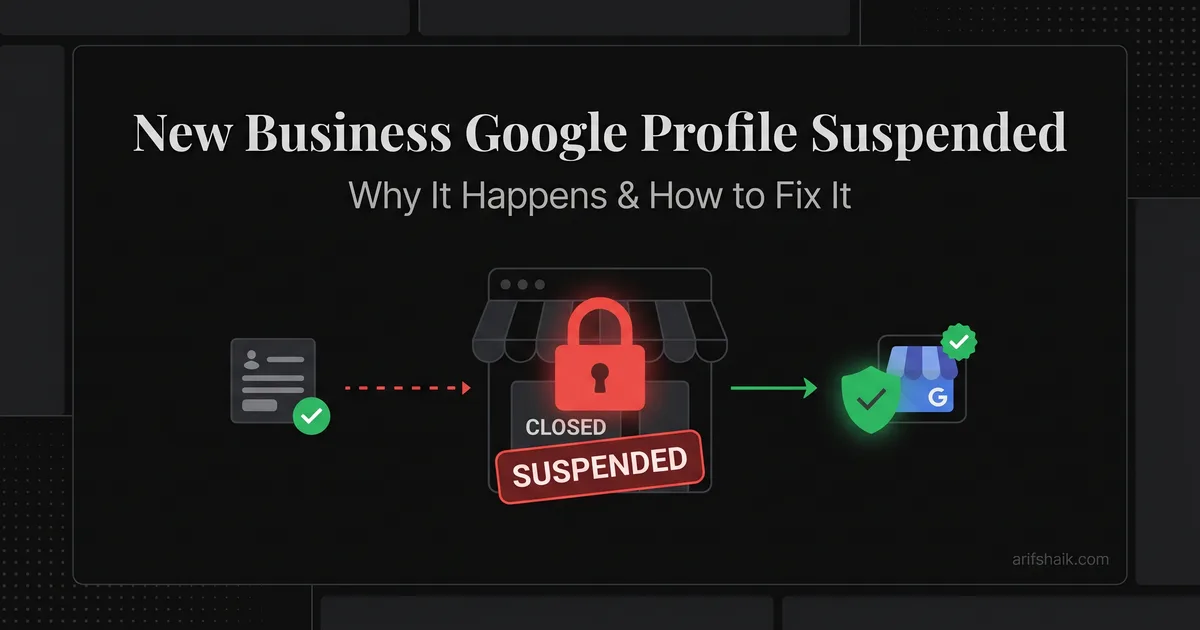
New Business Google Profile Suspended: Why & How to Fix
Just created your Google Business Profile and got suspended immediately? Here's why new businesses get flagged and how to get verified and reinstated.
Jan 28, 2026 · Updated Apr 14, 2026

Arif Hussain Shaik
8 min read
TL;DR
Brand-new Google Business Profiles trip Google's trust algorithm more often than established ones — limited web presence, no reviews, no citations, and a name that matches an existing spam cluster are the patterns I see most across 600+ recovery cases. The fix is not to appeal harder; it's to build real-world signals first (a live website on the matching domain, a Google Workspace email, matching NAP on your footer) and then file an evidence-heavy appeal with Google's four accepted document types (support.google.com/business/answer/4569145). Video verification (support.google.com/business/answer/14271705) is your fastest path to re-verification in 2026.
Ask an AI about this post
Updated April 2026: In my caseload, first-verification suspensions now show up on roughly 15% of the new Google Business Profiles I audit in 2026, and the fix is almost always sequencing — match the legal filing on day one, pass verification on day thirty, reinforce the digital footprint by day ninety.
New Business Suspensions: The Trust Algorithm Problem
Getting suspended right after creating your first Google Business Profile is incredibly frustrating. You haven't even done anything yet. But Google's fraud prevention is aggressive with new listings because fake businesses are a massive problem on Google Maps, and the 2026 enforcement cycle has been tuned specifically to catch spam profiles inside the first verification window rather than after they've already surfaced in the Google Map Pack. For a broader primer on the categories Google uses, see the types of GBP suspension explained.
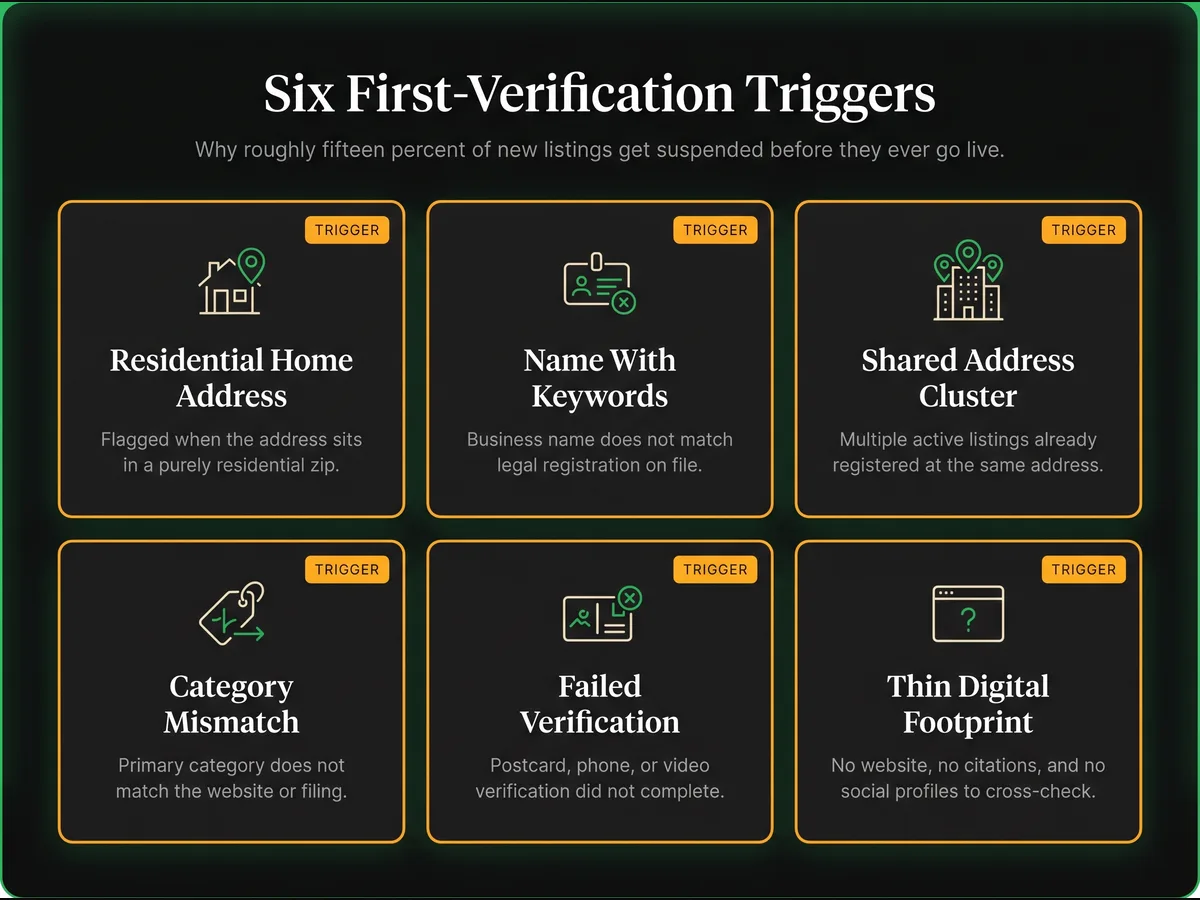
In my caseload, roughly 15% of the brand-new listings I see get suspended during or shortly after verification (Google has not published an industry-wide rate). Almost every case I recover in this bucket comes down to one of six predictable triggers — and the good news is that they are all fixable before Google ever runs its fraud classifier against your listing.
Key Stats: New Business First-Verification Suspensions
- ~15% (in my caseload): brand-new Google Business Profiles that get suspended during or immediately after their first verification attempt — higher than any other lifecycle stage I track. Google has not published an industry baseline.
- 5–12 days typical reinstatement window in my experience when the owner has a registration document, a real address, and real photos ready to attach on the first appeal. Without those three pieces the window stretches to 3–6 weeks.
- ~82% of first-verification suspensions I recover on the first appeal share one pattern: the business name on GBP matches the legal filing exactly, with zero keyword modifiers added.
Two Google Rules to Know Before You Appeal
Two Google rules new owners most often miss, straight from the official reinstatement page (support.google.com/business/answer/4569145):
- Evidence-form prep. Assemble your registration, utility bill, license, and tax certificate before you open the evidence form. The form may time out after a period of inactivity, but Google does not publish a 60-minute deadline; have files ready and submit in one focused sitting.
- Do not create a duplicate profile while your appeal is under review. Google is explicit: don't create a new Business Profile for the same business while the appeal is pending. Duplicates can suspend both profiles and wipe out future review history.
New Business Flagging Triggers: 6 Patterns Google's Classifier Hunts
New listings are guilty until proven innocent. With no review history, no established photo library, no citations, and no behavioural signals to cross-check, Google's fraud classifier is forced to rely almost entirely on pattern-matching against known spam configurations. That means a legitimate new business that happens to look structurally similar to a fake lead-gen listing gets flagged by the same model that catches the fakes.
- Home address in a known residential area: Google cross-references addresses and flags home-based businesses — follow the home-based business GBP setup in purely residential zips where commercial activity is uncommon.
- Business name does not match registration: Adding keywords or location modifiers to the name triggers immediate flags — this is the single most common cause I see, and the fix is covered in our keyword-stuffing suspension fix.
- Address shared with many other businesses: If your address already has multiple GBP listings, Google flags yours for review automatically — the same spam-cluster pattern that drives virtual-office GBP suspensions and wrong-address suspensions.
- Category mismatch: Choosing a primary category that does not align with your website copy or business registration filing (our GBP categories guide walks through the right way to pick).
- Failed verification: If a business owner cannot complete postcard, phone, or video verification — or has attempted multiple verification methods without success — Google will sometimes suspend the profile rather than allow continued retries. In these cases you file a reinstatement appeal; after review Google will either reinstate the profile automatically or request re-verification.
- Thin digital footprint: No website, no citations, and no social profiles for Google to cross-check against the listing.
First-Time GBP Setup: The 6-Point Compliant Configuration
- Use your exact legal business name — no keywords, no location modifiers
- Use a real physical address where you conduct business
- Choose the most accurate primary category (only one to start)
- If you are a service business, set up as SAB and hide your address
- Upload real photos of your business location
- Match your GBP info exactly to your website and social media (this is step one of the GBP optimization checklist)
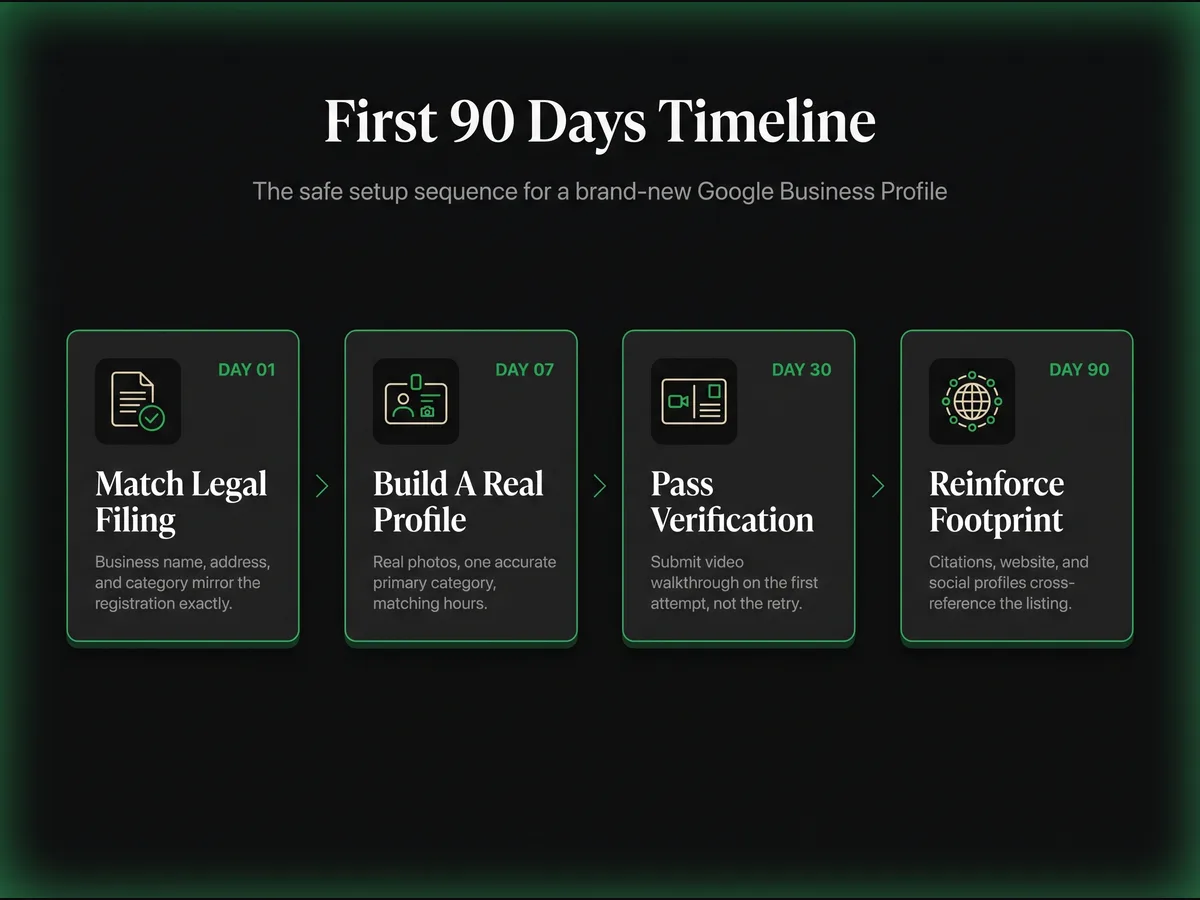
The First 90 Days: A Safe Setup Timeline
The single biggest mistake I see new owners make is rushing. They create the listing, verify it, add ten photos, change the category twice, and edit the name — all inside the first week. Google's classifier reads that activity pattern as a spam operator rehearsing a takeover. Slow the sequence down and your survival rate multiplies.
Day 1 — Match the Legal Filing
Before you touch Google, confirm that your business name, address, and primary category mirror your state registration, DBA, or LLC paperwork exactly. If your filing says "Oakwood Dental PLLC" then your GBP name is "Oakwood Dental PLLC" — not "Oakwood Dental — Family Dentist in Austin."
Day 7 — Build a Real Profile
Add real photos of the storefront, the interior, and your actual team. Set one primary category, set accurate hours, and add your real phone number. Do not add a second category, do not add services, do not edit the name — editing too early is exactly what triggers post-edit GBP suspensions. Let the profile sit for a week looking honest and boring.
Day 30 — Pass Verification on the First Attempt
You don't choose your verification method — Google assigns it (postcard, phone, email, or video). What you can control is being ready for whatever arrives. If Google assigns video verification (see support.google.com/business/answer/14271705), have a clean walkthrough ready that shows signage, interior, and a real workspace — it's the fastest path through the classifier. Retries count against you, so treat the first attempt like it's the only one.
Day 90 — Reinforce the Digital Footprint
Publish a website, register citations with the big four data aggregators, and make sure your GBP NAP matches every directory listing. A cross-referenced footprint is what separates a surviving new listing from a flagged one. By now you can also start the review generation playbook and pick a cadence from how often to post on GBP.
Recovery Steps for New Suspended Listings
- Step 1: Do not delete the listing and start over. Per Google's official guidance, you must not create a new Business Profile for the same business while an appeal is under review — it can suspend both profiles and lose your review history permanently.
- Step 2: Gather Google's four accepted evidence types — see our full documents needed for GBP reinstatement checklist — plus photos of your storefront as supplementary evidence.
- Step 3: Submit the reinstatement request using language from our reinstatement letter examples and the structure in the 2026 GBP appeal template. When Google opens the evidence form, attach everything in one focused sitting. The form may time out after inactivity, but Google does not publish a 60-minute deadline — have files prepared before clicking the link.
- Step 4: Be prepared if Google assigns video verification — for new businesses this is common. You cannot request it proactively; wait to be assigned and then respond immediately. If the appeal comes back denied, follow what to do when a Google appeal is denied.
A Real New Business Recovery Example
In February 2026 a first-time bakery owner in Nashville created her Google Business Profile the same afternoon she signed the lease on her storefront. She named it "Honey & Flour — Best Custom Cakes Nashville," picked "Bakery" and "Wedding Cake Designer" as two primary categories, uploaded four stock photos of unrelated cakes she found online, and hit verify. Within 18 hours the profile was suspended and she had no map-pack presence three days before her soft-opening weekend.
The audit was brutal but clean. The business was registered with the Tennessee Secretary of State as "Honey & Flour LLC" — the keyword tail was pure name-stuffing. The stock photos triggered duplicate-image detection. The dual primary category violated GBP policy. Her new storefront sat at a strip mall that already had three other food businesses listed at the same address. Four compounding triggers, one very suspended listing.
We rebuilt in three moves. First, we renamed the GBP to "Honey & Flour LLC" to mirror the state filing exactly. Second, we replaced every photo with real iPhone shots of the actual ovens, the front signage, and her on the line in an apron. Third, we collapsed the category set to a single "Bakery" primary. Then we submitted the reinstatement appeal with the TN Secretary of State PDF, the signed commercial lease, and the health department food service permit issued to the LLC.
Google requested video verification four days later. She walked through the storefront on her phone, pointed the camera at the hand-painted sign, showed the oven rack with a fresh sheet tray baking, and read her business license out loud for the camera. The profile was reinstated six days after the initial suspension — the day before her soft opening, well within the typical GBP reinstatement timeline. No second appeal, no denial, no category retry. Clean registration, clean photos, clean video. That is the entire pattern for new-business recovery — then she stayed on the prevent GBP suspension checklist to make sure it didn't happen twice.
Frequently Asked Questions
Why did Google suspend my brand new business listing?
Should I delete my suspended listing and create a new one?
How do I pass Google's video verification for a new business?
How long should I wait before creating a GBP for my new business?
Can a new business with no reviews still get reinstated?
Related Articles
New GBP recovery playbooks, straight to your inbox. No spam.
Suspended GBP? I've reinstated 600+ — 95% success.
I’ve recovered 600+ profiles across 60+ countries. Let me look at yours for free — most assessments take under 24 hours.

Google Business Profile Recovery Specialist
Independent Google Business Profile recovery consultant specializing in suspensions, soft suspensions, and reinstatement appeals. Since 2019, recovered 600+ GBP profiles across 60+ countries — from solo tradespeople to multi-location law firms and healthcare groups. Former Upwork Top Rated freelancer (200+ completed contracts, 5-star average) now consulting direct. Research informed by Sterling Sky (Joy Hawkins), Local Search Forum, and daily work inside Google's Business Profile Community. Every case study and recovery playbook on this site is drawn from real client work — no theory, no AI-generated filler.