Service Area Business GBP Suspended: Complete Fix Guide
Your service area business Google profile was suspended? Here's the exact SAB configuration Google requires and how to get reinstated in 5-7 days.
Feb 12, 2026 · Updated Apr 12, 2026

Arif Hussain Shaik
8 min read
TL;DR
Service-area businesses (SABs) must hide their street address and list named cities or regions they serve — not a radius — per Google's guidelines (support.google.com/business/answer/3038177). In my 500+ recovery cases, the most common SAB trigger is the owner leaving their home address visible after adding service areas, which creates a hybrid profile Google auto-flags. Fix before appeal: hide the address in the profile, list up to 20 named cities you actually serve, remove any radius-style service-area claims, and match your website's service-area pages to the same list. Then submit Google's accepted evidence (support.google.com/business/answer/4569145) — business license, vehicle registration, and dated job-site photos.
Ask an AI about this post
Updated April 2026: SAB suspensions are one of the largest categories across my caseload. Google's 2026 enforcement cycle is specifically targeting SAB profiles that display addresses, use radius-based service areas (no longer accepted by Google), or claim unrealistic service areas.
A service area business (SAB) GBP suspension typically results from displaying a home or warehouse address that customers don't visit, or claiming an unrealistic service area. SAB suspensions are a large share of what I handle across 500+ recoveries — alongside virtual-office GBP suspensions and wrong-address flags. This guide covers the exact SAB configuration Google's service-area documentation requires, and the step-by-step reinstatement process. For the full taxonomy of suspension triggers, see my hard vs soft GBP suspension guide.
Why Service Area Businesses Get Suspended
SAB suspensions are one of the most common categories across my 500+ caseload. The rules seem simple but the configuration trips up thousands of businesses. The core issue: Google has strict rules about when to show your address and when to hide it, and most SABs get it wrong. Per Google's service-area guidance: "You can't set your service area as a radius distance around your business" — name cities, postal codes, counties, or regions instead.
A Service Area Business is any company that travels to customers: plumbers, electricians, mobile groomers, cleaners, consultants, and more. If customers don't visit your location, you must hide your address — the same rule applies to home-based GBP businesses.
What the Data Says
- SAB suspensions are one of the largest categories in my caseload. Plumbers, electricians, cleaners, and other mobile service businesses are disproportionately affected because the SAB configuration rules are easy to misinterpret — see my SAB plumbing recovery case study for a real reinstatement walkthrough.
- The single most common trigger is a displayed address. Across my caseload, most SAB suspensions come from showing a home, warehouse, or non-customer-facing address in the profile. Per Google's service-area documentation, SABs must hide the address unless they also serve walk-in customers with staffed hours.
- Plan for 5 days to 5 weeks on reinstatement. Mike Blumenthal told Search Engine Journal in March 2025 that GBP appeal resolution times have stretched from about 5 days to nearly 5 weeks. SAB cases often land on the faster end because the fix is a clear configuration change.
The #1 SAB Mistake: Showing Your Address
If customers don't come to your physical location, your address must be hidden. This is non-negotiable. Google's service-area documentation requires SABs to hide the address unless they also operate a walk-in, staffed location. Any SAB that displays a home address, warehouse, or office where customers don't visit will get suspended.
Many business owners think showing an address makes them look more legitimate. It doesn't — it violates Google's guidelines and gets you suspended. This is one of the most common triggers I see, right next to keyword stuffing in the business name.
Other Common SAB Violations
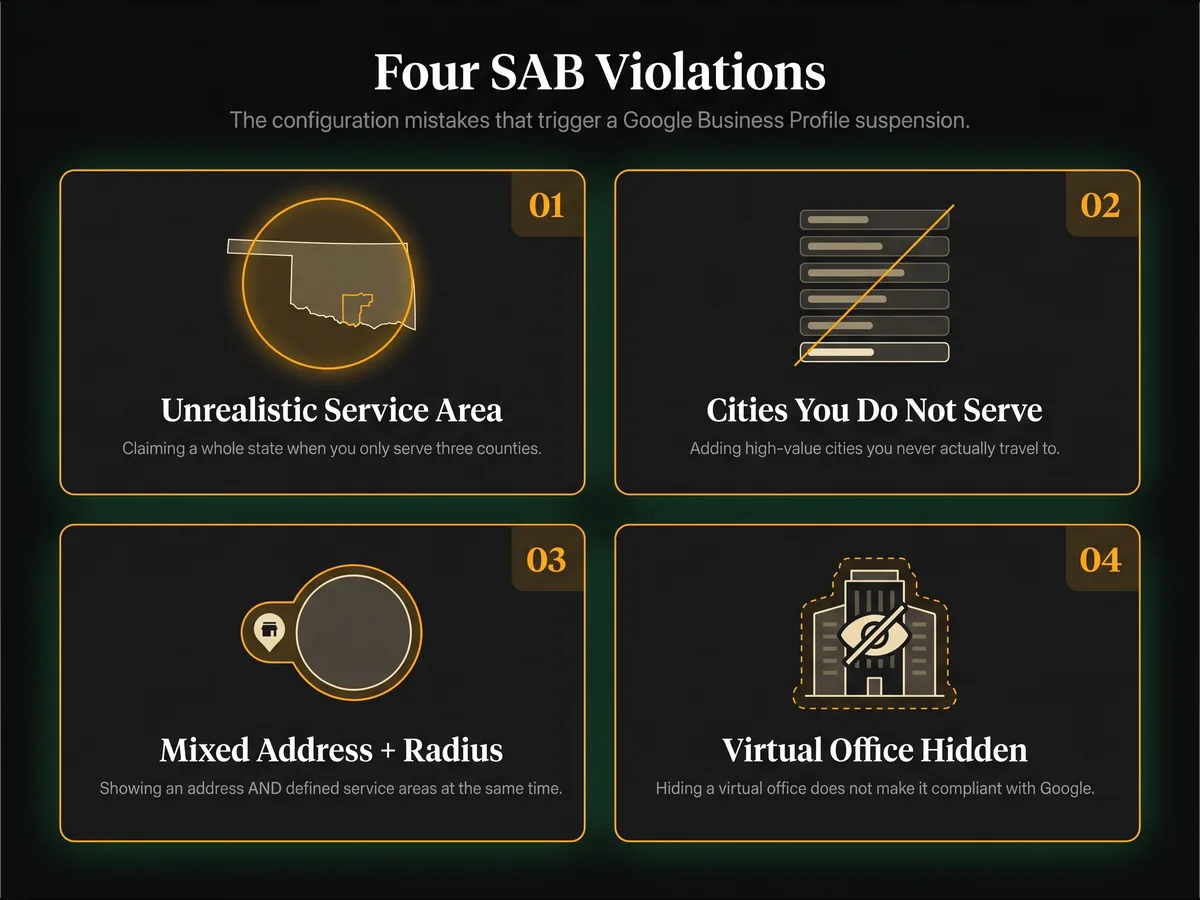
- Claiming unrealistic service areas: Setting your service area to an entire state when you only serve 3 counties.
- Listing areas you don't serve: Adding high-value cities even though you don't travel there.
- Mixed configuration: Having both a displayed address AND service areas defined. Pick one model.
- Using a virtual office for SAB: Hiding a virtual office address doesn't make it compliant. Google still verifies the underlying address.
How to Fix Your SAB Configuration
- Step 1: Go to your Business Profile dashboard → Edit Profile → Business Information → Location
- Step 2: Select "I serve customers at their location"
- Step 3: Add only named cities, counties, or postal codes where you genuinely serve customers — no radius (Google no longer accepts radius-based service areas)
- Step 4: Verify your address is hidden from public view
- Step 5: Submit a reinstatement appeal with Google's four accepted evidence types (business registration, license, tax certificates, utility bills — per support.google.com/business/answer/4569145). Contractor license, vehicle registration, and insurance are supporting extras that help but don't replace the four primary categories. Use the 2026 GBP appeal template and full reinstatement documents checklist.
SAB Setup Checklist: Get It Right the First Time
Before submitting your appeal or setting up a new SAB profile, verify each of these items. Missing even one is enough to trigger another suspension.
- Address is hidden from public view — verify by searching your business on Google Maps incognito. If you see a pin and street address, it's still showing.
- Service areas are realistic — no state-wide claims unless you genuinely serve the entire state. Google cross-checks service area with customer reviews and business activity.
- Business hours reflect travel availability — list the hours you're actually dispatching to customers, not office hours.
- Primary category matches your core service — "Plumber" not "Plumbing Supply Store" unless you actually sell supplies from a showroom.
- Photos show mobile operations — vehicles with branding, on-site job photos, tools — not office interiors. A full GBP optimization checklist covers the rest of the profile fields.
- Website clearly states "we come to you" — your website's NAP and service area must match your GBP exactly.
SAB vs Physical Location: Key Differences
Understanding which model applies to your business determines everything: your address visibility, verification documents, and how Google expects your profile to be configured.
| Factor | Service Area Business (SAB) | Physical Location |
|---|---|---|
| Customers visit you? | No — you travel to them | Yes — at your address |
| Address on profile | Hidden from public view | Visible and verified |
| Service area field | Required (cities/regions) | Optional |
| Key documents | Trade license, vehicle registration, insurance | Lease/deed, utility bill, signage photos |
| Verification method | Video verification or postcard | Postcard or video |
| Biggest suspension risk | Showing address or over-claiming service area | Virtual office or PO box as address |
Defining Service Areas Correctly
Google accepts up to 20 service areas per profile, but quantity isn't the goal. Define your service area by named city, region, county, or postal code — whichever best matches how your customers search. Google no longer accepts radius-based service areas (per support.google.com/business/answer/9157481: "You can't set your service area as a radius distance around your business"). If you still have a radius configured from an older setup, replace it before appealing.
- Best practice: List the 5-10 cities where you have the most jobs, not 20 cities you theoretically could serve.
- Drive-time is the binding size rule: Your total service area should be within about a 2-hour drive of your base of operations. Note: the "2-hour rule" is about the size of the service area, not about appeal response time or distance between separate locations — a common myth Colan Nielsen at Sterling Sky debunked in December 2025.
- Don't overlap with other SAB profiles: If you have multiple crews, run them as separate verified locations — not overlapping service areas on one profile. Overlapping service territories across two locations is the real multi-location suspension trigger Google flags (Sterling Sky, Dec 2025), not raw distance between them. If you manage several profiles, follow my multi-profile management guide.
Hybrid Business Scenarios (Storefront + Service Area)
Some businesses genuinely serve customers at a physical location AND travel to them. Google calls these "hybrid" businesses and they're allowed to show an address while defining service areas.
Qualifying examples: A restaurant that also caters and delivers. A bakery with in-store pickup plus wedding cake delivery. A florist with walk-in retail plus event setups. A tattoo parlor that also does house calls.
Non-qualifying examples: A plumber whose "storefront" is a warehouse where no customers visit. A consultant whose "office" is a home address. A roofer with a lot for equipment storage. These must configure as pure SAB with address hidden. For the full SAB profile setup rules, see my SAB Google Business Profile configuration guide.
If you run a hybrid business, be prepared to prove walk-in traffic with signage photos, storefront hours, POS receipts, or walk-in customer logs.
SAB Documentation Requirements
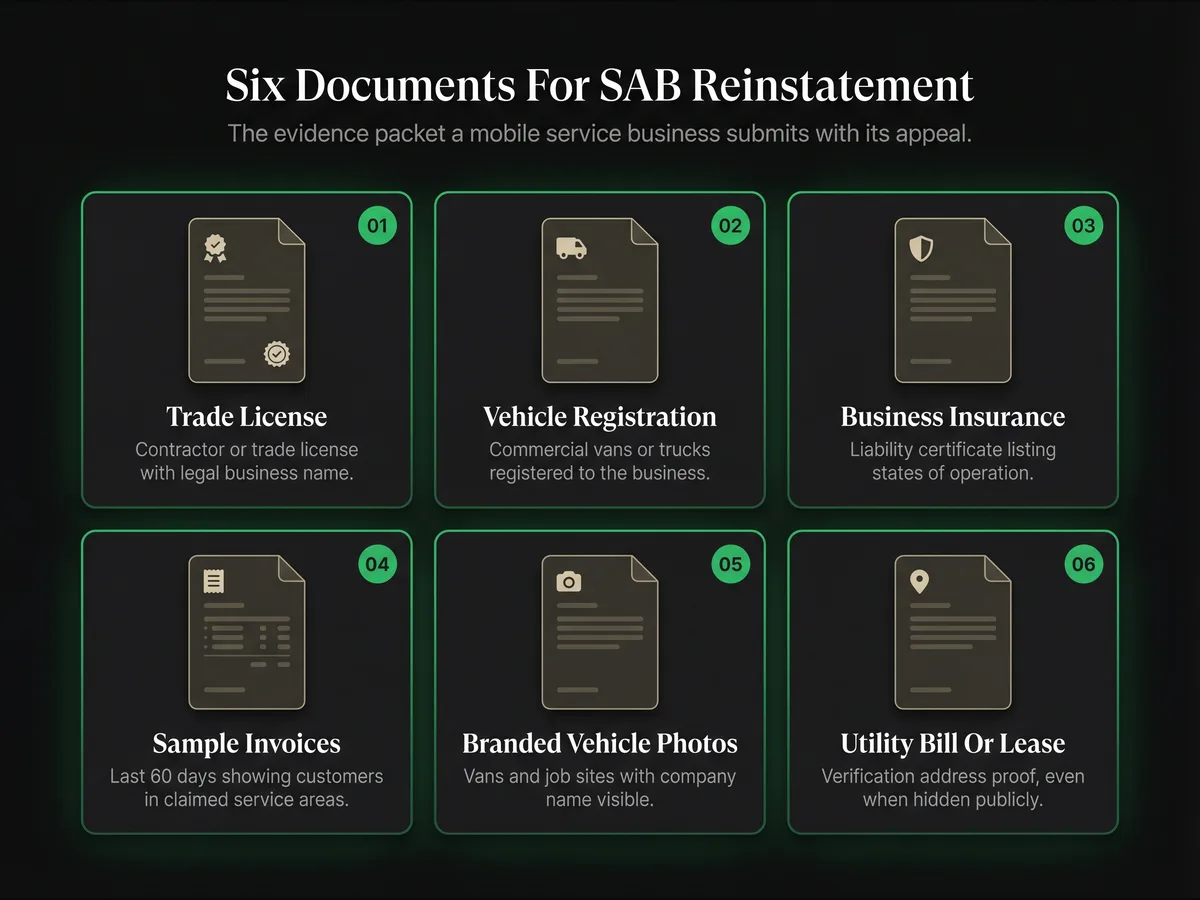
- Contractor or trade license showing your legal business name and service type
- Commercial vehicle registration — vans, trucks, or service vehicles tied to the business
- Business insurance certificate listing your service areas or states of operation
- Sample invoices from the last 60 days showing customers in your claimed service areas
- Photos of branded vehicles or job sites — not office interiors
- Utility bill or lease for the verification address (even if hidden from public)
A Real SAB Recovery Example
A DFW-area electrician I worked with in January 2026 had been running their GBP profile for five years with their warehouse address fully visible. 214 reviews, top-three local pack rankings for "electrician near me", strong repeat-customer pipeline. Google suspended the profile on a Tuesday morning without warning during the Q1 2026 SAB cleanup.
The owner first tried to re-verify the warehouse address with a new utility bill. Google denied it inside six hours. The problem wasn't whether the warehouse existed — it was that no customer had ever walked through the door. Warehouses that store vans and inventory don't qualify as physical locations under Google's SAB rules, no matter how genuine the lease is.
We reconfigured the profile end-to-end. Hid the warehouse address from public view. Set the service areas to the eight DFW cities where at least 15 jobs had been invoiced in the prior 90 days — Dallas, Plano, Frisco, Irving, Garland, Arlington, Richardson, McKinney — and dropped every aspirational city. Swapped every interior warehouse photo for branded-van photos at real job sites. Then we assembled the six-document packet: master electrician license, three commercial van registrations, general liability COI, sixty days of invoices, ten branded-vehicle photos, warehouse utility bill for verification.
The appeal was four sentences. We reinstated on day 5 with all 214 reviews intact. Six months later the profile is ranking for more keywords than before, because honest service-area data outperforms aspirational sprawl in the local map pack. The pattern is the same on every SAB case I handle — fix the configuration first, then send the evidence. Google doesn't care how legitimate your business is if the profile still violates the SAB rules on the day you appeal. For long-term safety, run monthly GBP compliance audits and follow my prevent GBP suspension checklist.
Frequently Asked Questions
Can I show my address if I also travel to customers?
How many service areas can I list on Google Business Profile?
How long does SAB suspension recovery take?
Can I use my home address as an SAB?
What happens if I show my address and service areas at the same time?
Related Articles
Get notified when I publish new recovery guides
Struggling with a suspended GBP profile?
I’ve recovered 500+ profiles across 60+ countries. Let me look at yours for free — most assessments take under 24 hours.

Google Business Profile Recovery Specialist
Independent Google Business Profile recovery consultant specializing in suspensions, soft suspensions, and reinstatement appeals. Since 2019, recovered 500+ GBP profiles across 60+ countries — from solo tradespeople to multi-location law firms and healthcare groups. Former Upwork Top Rated freelancer (200+ completed contracts, 5-star average) now consulting direct. Research informed by Sterling Sky (Joy Hawkins), Local Search Forum, and daily work inside Google's Business Profile Community. Every case study and recovery playbook on this site is drawn from real client work — no theory, no AI-generated filler.